X-GLASS + Charger included
319,90€
Your basket is empty
Search on Crosscall
Search suggestion
Recommended for you
See all
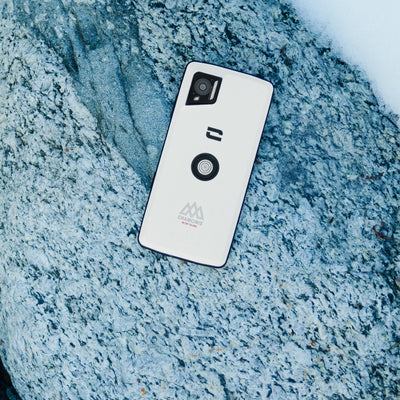
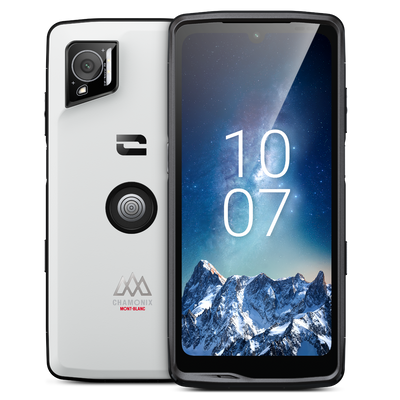
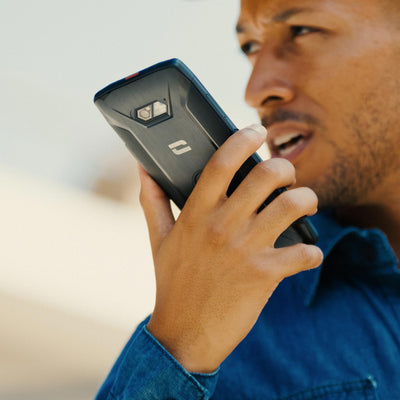
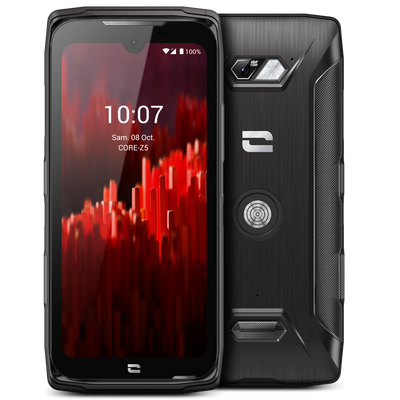
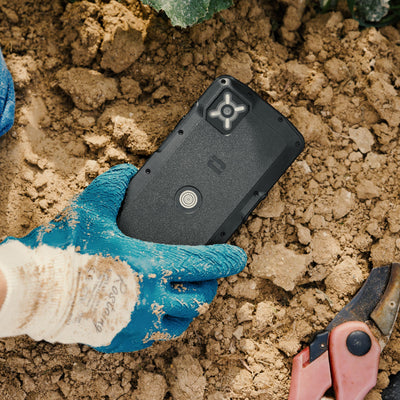
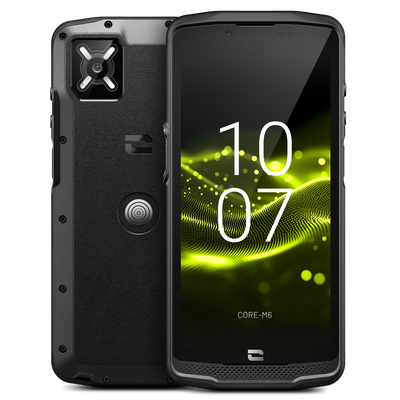

Exclusive X-TREMESHIELD structure

Total waterproofing IP68 / IP69K

5-year manufacturer warranty
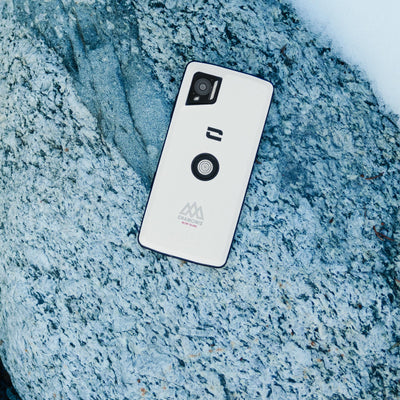
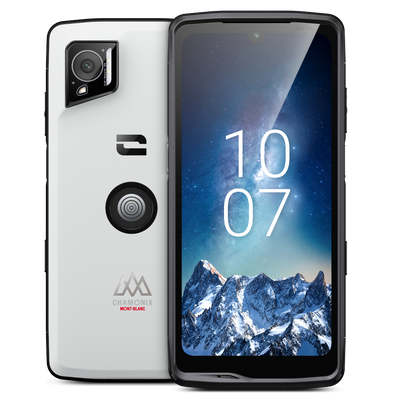

Outdoor mode: up to +25% more battery life
IP68, saltwater, dust
5-year manufacturer warranty
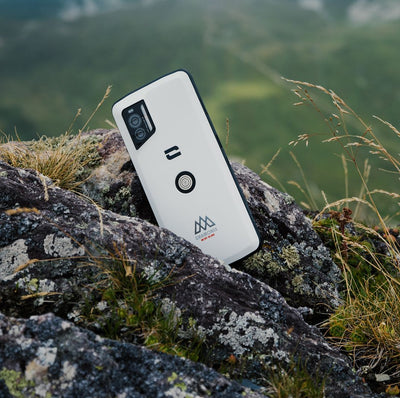
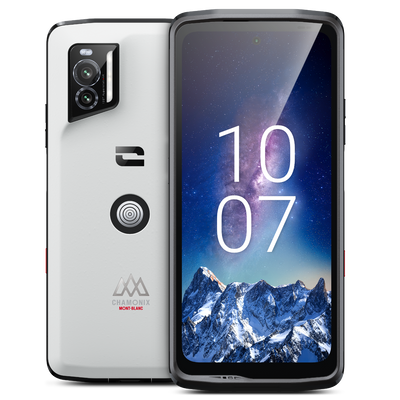
IP68, saltwater, dust
Outdoor mode: up to +25% more battery life
5-year manufacturer warranty
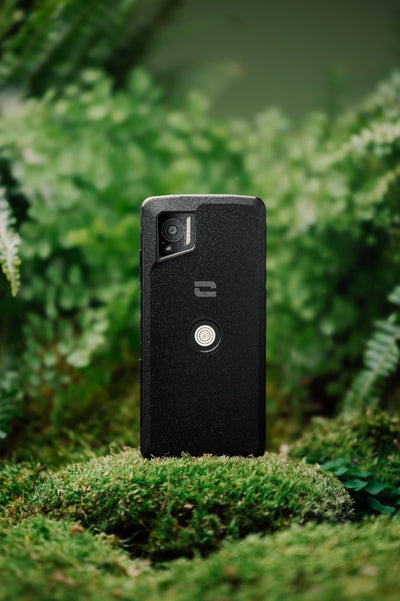
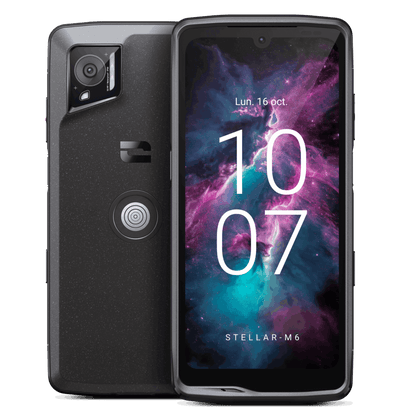

3 customizable action buttons, 1 SOS button

5G, Wifi6/6E, X-LINK, X-SPACE
5-year manufacturer warranty


ET SI TROUVER VOTRE SMARTPHONE ETAIT AUSSI SIMPLE QU'UNE CONVERSATION



When it comes to sustainability, it’s not words but actions that make the difference. So we took action.
Phones resistant to all challenges
A 5-year warranty, unique on the market
Designed to last, made to be repaired


CORE-Z6 450 certified on Germany’s 450Connect network
A major milestone for Crosscall's 450 MHz strategy, paving the way for the deployment of a new generation of rugged, mission-critical mobile devices for critical infrastructure operators in Germany. Crosscall is proud to announce that the CORE-Z6 450 has successfully completed the 450connect certification process and has officially joined the whitelist of approved voice terminals for use on Germany's 450 MHz network. This certification marks a key milestone following several months of development, testing, and close collaboration between the Crosscall and 450connect teams. As part of this approval process, the CORE-Z6 450 was tested in three essential areas: network compatibility, cybersecurity, and industrial ruggedness, confirming its ability to meet the requirements of critical infrastructure operators (KRITIS) in Germany. 450connect operates Germany's national 450 MHz network dedicated to critical infrastructure operators. As the exclusive holder of the 450 MHz frequency until 2040, 450connect provides highly available and resilient communications designed to support the control, supervision, and protection of essential infrastructure. With the CORE-Z6 450 approved for this network, Crosscall is introducing a new type of professional terminal to Germany's 450 MHz ecosystem: a rugged Android smartphone designed from the outset for mission-critical 450 MHz connectivity and the most demanding field operations. Reliable communication when it matters most Clear communication remains essential for critical field operations. The CORE-Z6 450 features a powerful front-facing speaker delivering up to 102.5 dBA, combined with AI-powered noise reduction of up to -60 dB, enabling users to hear and be heard even in the noisiest environments. In addition to its native 450 MHz capabilities, the CORE-Z6 450 also supports public and private 4G/5G networks, as well as Wi-Fi 6/6E, giving organizations complementary connectivity options for broadband services and professional Android applications. Designed for the most demanding field environments Developed according to Crosscall's rugged engineering standards, the CORE-Z6 450 is built to withstand intensive professional use in difficult conditions. IP68 and IP69K certification, MIL-STD-810H compliance, resistance to repeated drops onto concrete, and up to 53 hours of battery life in mixed use: features that ensure operational availability throughout field missions. Its compatibility with the Crosscall X-LINK™ ecosystem and professional mounting solutions enables seamless integration into vehicle mounts, charging stations, and field equipment, supporting users throughout their interventions. CORE-Z6 450: Ready for today's critical communications. Designed for tomorrow's. Today, the 450connect network is dedicated to critical voice communications for terminals such as the CORE-Z6 450. The device has been designed to fully meet these current needs while also being ready to support future developments in the network and its services. Beyond voice, its Android environment, large display, powerful chipset, and front and rear cameras make the CORE-Z6 450 technically capable of supporting advanced digital applications: business applications, data sharing, and video communications. These additional features are not yet available on the 450connect network. However, if these services are deployed in the future, the CORE-Z6 450 is already equipped to enable organizations to extend their field operations, from critical voice communication to a broader range of digital applications. A new milestone for Crosscall in the 450 MHz ecosystem This 450connect certification marks an important step in Crosscall's ambition to establish itself as a leading European manufacturer within the 450 MHz ecosystem. The CORE-Z6 450 is the first concrete expression of this ambition, with other products, accessories, and services to come to build a complete ecosystem that meets the specific needs of critical infrastructure operators. For energy and water operators, transport and logistics organizations, healthcare organizations, and other KRITIS operators in Germany, the CORE-Z6 450 offers a new choice: a professional 450 MHz terminal combining reliable field communication, Android-based business capabilities, and Crosscall ruggedness — all in a single device.

Phone Without Internet: Stay in Control of Your Digital Habits
As we become increasingly aware of the consequences of uncontrolled smartphone use, more and more people are choosing to go back to basics by adopting a phone without internet. Whether driven by nostalgia for a bygone era, a desire to disconnect, or the wish to pass on healthier digital habits to younger generations, we take a closer look at the return of the mobile phone without internet (or "dumbphone"), and how Crosscall is responding to this new trend. Why choose a phone without internet? Constant notifications, endless scrolling, too much screen time... In 2026, more and more people are seeking to reduce their dependence on smartphones. This approach takes two distinct but equally legitimate forms. On one side are those who make this choice consciously: people aware of the challenges of digital technology, its impact on our attention, sleep, and mental health, as well as on the environment (digital pollution and data energy consumption). For them, returning to a simple mobile phone is a considered act of digital moderation. On the other hand, there are parents, faced with an increasingly common question: how can they ensure their child or teenager can be reached without exposing them to unrestricted access to the internet and social media? In both cases, the answer may be the same: a mobile phone without internet, reliable, simple, and built to last. Mobile phone, featurephone, dumbphone: what are we talking about? A classic mobile phone (or "button phone") lets you make calls and send text messages, without access to complex apps or the internet. The term featurephone is the technical term used to describe these phones positioned between smartphones and basic phones, offering a few additional features (a simple camera, radio, calculator…). The word dumbphone ("dumb phone" in English) has become a trend on social media and in the press, referring to this movement toward returning to intentionally simple phones, popularized by a generation seeking to disconnect. Whatever term is used, the goal remains the same: an essential communication tool, without the distractions and risks associated with permanent internet access. The benefits and limitations of a phone without internet The benefits Fewer distractions : without social media or constant notifications, attention and concentration naturally return. better battery life, without energy-intensive apps running in the background. Protection for younger users : no access to social networks or inappropriate online content. An environmentally responsible choice : fewer components, more sustainable manufacturing, and an often longer lifespan. An approach that fully aligns with Crosscall's commitments. Limitations to be aware of Less convenience in everyday life : no advanced GPS, banking or carpooling apps, and no instant messaging services such as WhatsApp. Reduced digital capabilities for professional or administrative tasks that require an internet connection. A balance to find according to actual needs: for some, a feature phone is more than enough; for others, a hybrid solution will be better suited. The important thing is to choose a device that suits a considered use, without being subjected to pressure to be "always connected." CORE-S5: the mobile phone by Crosscall The CORE-S5 is our practical response to this pursuit of digital sobriety, designed for those who need a durable, simple, and 100% reliable phone. ULTRA TOUGH DURABILITY; Compliant with the most demanding military standards, the CORE-S5 withstands drops, impacts, and extreme weather conditions, from -20°C to +60°C. Complete waterproofing: IP68/IP69K certified, it withstands immersion, dust, and high-pressure water jets. An ideal companion for the harshest environments. Exceptional battery life: Without energy-intensive apps, the CORE-S5 offers battery life that can last several days, or even weeks on standby — ensuring you remain reachable without having to recharge constantly. Discover Only the essentials, with no unnecessary extras: No social media apps, no internet browser, no intrusive notifications. The CORE-S5 focuses on essential communication features: calls, text messages, contacts, calculator, and alarm clock. A phone that does what it is asked to do—nothing more, nothing less. 4G-compatible: An essential technical feature at a time when 2G and 3G networks have been gradually shut down in France since early 2026. The CORE-S5, meanwhile, is designed to remain fully operational in the long term. Uncompromising reliability, guaranteed for 5 years: a more durable phone designed to remain reliable in the most challenging environments and for a long time. Who is the CORE-S5 designed for? People committed to a digital simplicity approach, looking for a communication tool stripped of unnecessary extras Parents who want to give their child or teenager a first phone, without having to use parental controls to limit access to the internet and social media. Anyone looking for a reliable and durable phone with essential features that will not become obsolete when 2G/3G networks are shut down FAQ: Phone Without Internet What is a phone without internet? It is a mobile phone (or "feature phone") that allows you to make calls and send text messages without access to the internet, social media, or complex applications. It is also called a "dumbphone", a term popularized by the digital disconnection movement. What is the difference between a feature phone and a dumbphone? Feature phone is the technical term for a phone that falls between a smartphone and a basic phone, with a few simple features (camera, radio, calculator). Dumbphone refers to the same type of device, but as part of a deliberate approach to digital simplicity. Does a phone without internet still work in 2026? Yes, provided it is 4G-compatible. With the gradual shutdown of 2G/3G networks in France since 2026, only 4G phones like the CORE-S5 will remain fully operational in the long term. Is a phone without internet suitable for children? Absolutely—it is even recommended as a first phone. It allows you to stay in touch with your child without exposing them to social media or inappropriate online content. What are the advantages of a phone without internet? Fewer distractions, significantly longer battery life, better control over digital habits, and a reduced environmental impact thanks to more sustainable manufacturing.

Set Up Crosscall Parental Controls: Our Complete Guide
Giving your child their first phone often raises legitimate concerns: inappropriate content, intrusive notifications, poorly managed screen time, risks of cyberbullying... These concerns make it important to properly supervise their first digital experiences. At Crosscall, all our smartphones include built-in parental controls that are easy to activate, allowing parents to establish clear boundaries from the very first use. In this guide, we'll walk you step by step through setting them up, as well as Android parental controls, for complete protection. Why set boundaries for children's first digital experiences? Children don't have the maturity to understand and assess everything they encounter online on their own. Without guidance, these first digital experiences can quickly slip beyond parents' control. Setting age-appropriate boundaries allows children to discover the digital world gradually and confidently, without constant monitoring. That's the goal of Crosscall parental controls: simple tools to keep your child's everyday digital experience safe. Set up Crosscall parental controls step by step Step 1: Go to Settings > Crosscall Parental Control. Step 2: Set an access code known only to you. This code protects all parental control settings. Step 3: Enter your child's age.The system will use this information to automatically filter the available apps. Step 4: Block access to internet browsers if you wish, for even stricter control. That's it! ✅ Once the setup is confirmed, you'll see that the phone's menu displays only apps suitable for the selected age. Simple and effective: Crosscall parental controls help you stay one step ahead of your child's digital habits, with peace of mind. Take Android parental controls further Our smartphones run on Android, so you also benefit from Google's built-in parental control and digital wellbeing features. An additional layer of protection, particularly useful for fine-tuning settings on an app-by-app basis. Set up Android parental controls Step 1: Go to Settings > Digital Wellbeing & parental controls. Step 2: Activate a second layer of parental controls to manage access to apps individually, and define the Google Play Store access rules (the type of content allowed for download). Step 3: Set usage time limits for certain apps: select an app and set a maximum daily usage time. Once this time has elapsed, the app will automatically lock until the next day. Remember to set a specific code for managing these time limits: you will be asked for it each time you make a change. Step 4: Activate "Bedtime" or "Distraction-free" modes to set time periods during which notifications from certain apps will be suspended. Ideal for protecting your teenager's sleep or concentration at school. 5 tips for supporting your child's first experiences Set up parental controls before your child uses the smartphone for the first time. This makes the rules an integral part of the experience from the outset, limiting frustration and the feeling of "deprivation." Use different codes for Crosscall parental controls and Android time limits. This dual protection prevents a single compromised password from providing access to all the settings. Know the phone's unlock code. Set it up with your child, and also register your fingerprint on the biometric sensor so you can access the phone's content if necessary. Enable weekly screen-time reports. Your child will receive a notification summarizing the time spent on each app, an excellent starting point to help them become aware of their digital habits and gradually learn to regulate them. Limit non-essential app notifications. Lessential notifications can disrupt concentration and encourage your child to return to their screen when they do not need to. By limiting notifications, you limit temptations. User safety: an ethical approach At Crosscall, user safety is not limited to the reliability of our smartphones in harsh environments. It also includes protecting younger users online. That is why we developed native parental controls, available across our entire range, offering effective features with no technical expertise required, fully aligned with our commitment to responsible practices. Crosscall Parental Controls FAQ Are Crosscall parental controls available on all models? Yes, Crosscall parental controls are natively integrated across all our smartphone ranges, except phones without internet access. Can I change the age setting later? Yes, you can return to Settings > Crosscall Parental Controls at any time to adjust the age and permissions, provided you know the access code initially set. What happens if my child tries to install an unauthorized application? The application cannot be installed or launched if its PEGI rating exceeds the age you have set, or if Play Store settings restrict it. Do parental controls also block calls and SMS messages? Crosscall parental controls focus on filtering applications according to their PEGI rating. For managing calls and contacts, the additional Android features can be used.
You want to
equip your teams.
Discover customized solutions
tailored to each industry
for your business.

Free shipping
Free shipping on orders of €149 or more

Pay at your own pace up to 60x*
Pay at your own pace with Floa: 3, 4, 10, or up to 60x*

RATED 4.6/5 BY CUSTOMERS
Based on over 10,000 customer reviews
Get 10% off right now!
Sign up to unlock your discount and get early access to our exclusive offers and new releases.