€20 discount
From €13.67/month
319,90€
299,90€
Your basket is empty
Search on Crosscall
Search suggestion
Recommended for you
See all
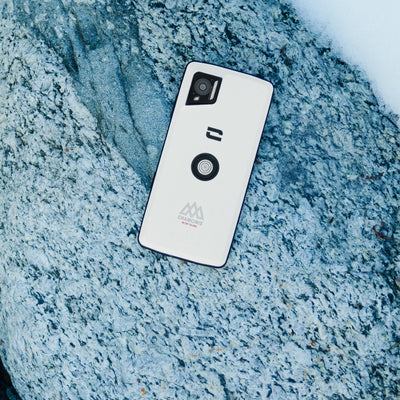
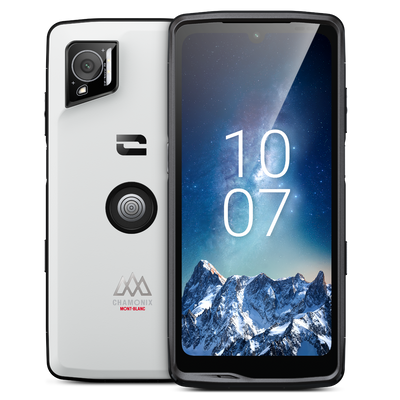
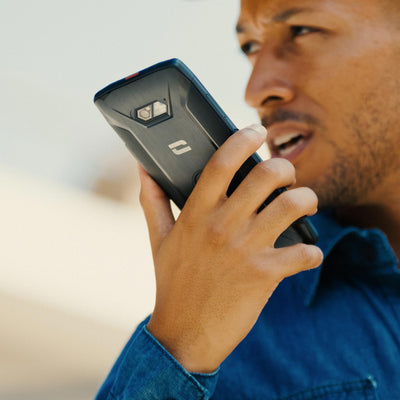
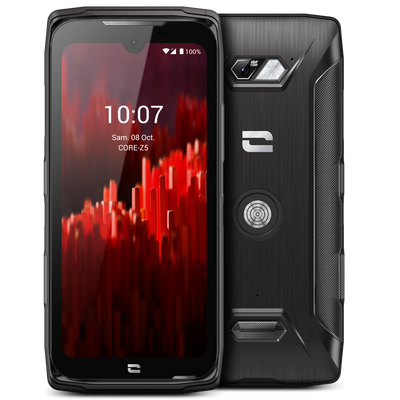

Phone Without Internet: Stay in Control of Your Digital Habits
As we become increasingly aware of the consequences of uncontrolled smartphone use, more and more people are choosing to go back to basics by adopting a phone without internet. Whether driven by nostalgia for a bygone era, a desire to disconnect, or the wish to pass on healthier digital habits to younger generations, we take a closer look at the return of the mobile phone without internet (or "dumbphone"), and how Crosscall is responding to this new trend. Why choose a phone without internet? Constant notifications, endless scrolling, too much screen time... In 2026, more and more people are seeking to reduce their dependence on smartphones. This approach takes two distinct but equally legitimate forms. On one side are those who make this choice consciously: people aware of the challenges of digital technology, its impact on our attention, sleep, and mental health, as well as on the environment (digital pollution and data energy consumption). For them, returning to a simple mobile phone is a considered act of digital moderation. On the other hand, there are parents, faced with an increasingly common question: how can they ensure their child or teenager can be reached without exposing them to unrestricted access to the internet and social media? In both cases, the answer may be the same: a mobile phone without internet, reliable, simple, and built to last. Mobile phone, featurephone, dumbphone: what are we talking about? A classic mobile phone (or "button phone") lets you make calls and send text messages, without access to complex apps or the internet. The term featurephone is the technical term used to describe these phones positioned between smartphones and basic phones, offering a few additional features (a simple camera, radio, calculator…). The word dumbphone ("dumb phone" in English) has become a trend on social media and in the press, referring to this movement toward returning to intentionally simple phones, popularized by a generation seeking to disconnect. Whatever term is used, the goal remains the same: an essential communication tool, without the distractions and risks associated with permanent internet access. The benefits and limitations of a phone without internet The benefits Fewer distractions : without social media or constant notifications, attention and concentration naturally return. better battery life, without energy-intensive apps running in the background. Protection for younger users : no access to social networks or inappropriate online content. An environmentally responsible choice : fewer components, more sustainable manufacturing, and an often longer lifespan. An approach that fully aligns with Crosscall's commitments. Limitations to be aware of Less convenience in everyday life : no advanced GPS, banking or carpooling apps, and no instant messaging services such as WhatsApp. Reduced digital capabilities for professional or administrative tasks that require an internet connection. A balance to find according to actual needs: for some, a feature phone is more than enough; for others, a hybrid solution will be better suited. The important thing is to choose a device that suits a considered use, without being subjected to pressure to be "always connected." CORE-S5: the mobile phone by Crosscall The CORE-S5 is our practical response to this pursuit of digital sobriety, designed for those who need a durable, simple, and 100% reliable phone. ULTRA TOUGH DURABILITY; Compliant with the most demanding military standards, the CORE-S5 withstands drops, impacts, and extreme weather conditions, from -20°C to +60°C. Complete waterproofing: IP68/IP69K certified, it withstands immersion, dust, and high-pressure water jets. An ideal companion for the harshest environments. Exceptional battery life: Without energy-intensive apps, the CORE-S5 offers battery life that can last several days, or even weeks on standby — ensuring you remain reachable without having to recharge constantly. Discover Only the essentials, with no unnecessary extras: No social media apps, no internet browser, no intrusive notifications. The CORE-S5 focuses on essential communication features: calls, text messages, contacts, calculator, and alarm clock. A phone that does what it is asked to do—nothing more, nothing less. 4G-compatible: An essential technical feature at a time when 2G and 3G networks have been gradually shut down in France since early 2026. The CORE-S5, meanwhile, is designed to remain fully operational in the long term. Uncompromising reliability, guaranteed for 5 years: a more durable phone designed to remain reliable in the most challenging environments and for a long time. Who is the CORE-S5 designed for? People committed to a digital simplicity approach, looking for a communication tool stripped of unnecessary extras Parents who want to give their child or teenager a first phone, without having to use parental controls to limit access to the internet and social media. Anyone looking for a reliable and durable phone with essential features that will not become obsolete when 2G/3G networks are shut down FAQ: Phone Without Internet What is a phone without internet? It is a mobile phone (or "feature phone") that allows you to make calls and send text messages without access to the internet, social media, or complex applications. It is also called a "dumbphone", a term popularized by the digital disconnection movement. What is the difference between a feature phone and a dumbphone? Feature phone is the technical term for a phone that falls between a smartphone and a basic phone, with a few simple features (camera, radio, calculator). Dumbphone refers to the same type of device, but as part of a deliberate approach to digital simplicity. Does a phone without internet still work in 2026? Yes, provided it is 4G-compatible. With the gradual shutdown of 2G/3G networks in France since 2026, only 4G phones like the CORE-S5 will remain fully operational in the long term. Is a phone without internet suitable for children? Absolutely—it is even recommended as a first phone. It allows you to stay in touch with your child without exposing them to social media or inappropriate online content. What are the advantages of a phone without internet? Fewer distractions, significantly longer battery life, better control over digital habits, and a reduced environmental impact thanks to more sustainable manufacturing.

Set Up Crosscall Parental Controls: Our Complete Guide
Giving your child their first phone often raises legitimate concerns: inappropriate content, intrusive notifications, poorly managed screen time, risks of cyberbullying... These concerns make it important to properly supervise their first digital experiences. At Crosscall, all our smartphones include built-in parental controls that are easy to activate, allowing parents to establish clear boundaries from the very first use. In this guide, we'll walk you step by step through setting them up, as well as Android parental controls, for complete protection. Why set boundaries for children's first digital experiences? Children don't have the maturity to understand and assess everything they encounter online on their own. Without guidance, these first digital experiences can quickly slip beyond parents' control. Setting age-appropriate boundaries allows children to discover the digital world gradually and confidently, without constant monitoring. That's the goal of Crosscall parental controls: simple tools to keep your child's everyday digital experience safe. Set up Crosscall parental controls step by step Step 1: Go to Settings > Crosscall Parental Control. Step 2: Set an access code known only to you. This code protects all parental control settings. Step 3: Enter your child's age.The system will use this information to automatically filter the available apps. Step 4: Block access to internet browsers if you wish, for even stricter control. That's it! ✅ Once the setup is confirmed, you'll see that the phone's menu displays only apps suitable for the selected age. Simple and effective: Crosscall parental controls help you stay one step ahead of your child's digital habits, with peace of mind. Take Android parental controls further Our smartphones run on Android, so you also benefit from Google's built-in parental control and digital wellbeing features. An additional layer of protection, particularly useful for fine-tuning settings on an app-by-app basis. Set up Android parental controls Step 1: Go to Settings > Digital Wellbeing & parental controls. Step 2: Activate a second layer of parental controls to manage access to apps individually, and define the Google Play Store access rules (the type of content allowed for download). Step 3: Set usage time limits for certain apps: select an app and set a maximum daily usage time. Once this time has elapsed, the app will automatically lock until the next day. Remember to set a specific code for managing these time limits: you will be asked for it each time you make a change. Step 4: Activate "Bedtime" or "Distraction-free" modes to set time periods during which notifications from certain apps will be suspended. Ideal for protecting your teenager's sleep or concentration at school. 5 tips for supporting your child's first experiences Set up parental controls before your child uses the smartphone for the first time. This makes the rules an integral part of the experience from the outset, limiting frustration and the feeling of "deprivation." Use different codes for Crosscall parental controls and Android time limits. This dual protection prevents a single compromised password from providing access to all the settings. Know the phone's unlock code. Set it up with your child, and also register your fingerprint on the biometric sensor so you can access the phone's content if necessary. Enable weekly screen-time reports. Your child will receive a notification summarizing the time spent on each app, an excellent starting point to help them become aware of their digital habits and gradually learn to regulate them. Limit non-essential app notifications. Lessential notifications can disrupt concentration and encourage your child to return to their screen when they do not need to. By limiting notifications, you limit temptations. User safety: an ethical approach At Crosscall, user safety is not limited to the reliability of our smartphones in harsh environments. It also includes protecting younger users online. That is why we developed native parental controls, available across our entire range, offering effective features with no technical expertise required, fully aligned with our commitment to responsible practices. Crosscall Parental Controls FAQ Are Crosscall parental controls available on all models? Yes, Crosscall parental controls are natively integrated across all our smartphone ranges, except phones without internet access. Can I change the age setting later? Yes, you can return to Settings > Crosscall Parental Controls at any time to adjust the age and permissions, provided you know the access code initially set. What happens if my child tries to install an unauthorized application? The application cannot be installed or launched if its PEGI rating exceeds the age you have set, or if Play Store settings restrict it. Do parental controls also block calls and SMS messages? Crosscall parental controls focus on filtering applications according to their PEGI rating. For managing calls and contacts, the additional Android features can be used.

First phone: how to choose the right one before the start of the school year?
The moment you were dreading has arrived… Your teenager has asked you for a smartphone. But between their desire for independence, your need to be able to reach them, and your fear of misuse, it can be difficult to find the right compromise. This guide will take you step by step through choosing a first phone suited to your needs, without sacrificing either your peace of mind or your budget. Should you give your teenager their first smartphone? The answer is, of course, specific to each parent. But starting middle school often marks a turning point in a child’s independence: traveling alone, extracurricular activities, new friends. A first phone can primarily meet a simple need: staying in touch. Staying in touch and knowing where they are: Being able to reach your child at any time and feel reassured about their location thanks to an integrated GPS remains parents’ primary motivation. A simple text to report a schedule change, a call in case of an unexpected event: the phone becomes an everyday safety tool. Supporting digital independence: Giving your child a first phone is also an opportunity to teach them how to use it gradually, with clear rules. Establishing a framework from the outset makes it easier to develop good digital habits, rather than discovering unstructured use later on. A tool that also makes parents’ daily lives easier: Coordinating schedules, sending a group message to organize a carpool, calling at the end of an activity: a middle-schooler’s phone quickly becomes a practical tool for the whole family. What type of first phone should you choose? There are two main types of phones to choose from, depending on the level of digital independence you want to give your child: The basic mobile phone (Featurephone / Dumbphone) : Without internet access, it covers essential functions: making calls, sending texts, and staying reachable. A reliable solution for a first phone experience, without the risks associated with social media or inappropriate content. The limited-access smartphone : An appealing compromise, with internet access that is strictly supervised by parental controls filtering apps and content. Your child gradually discovers the digital world, but always under your supervision. Choosing the right first phone depends above all on how much independence you want to give your child: gradual, supervised access or use deliberately limited to essential functions. What criteria should you consider when choosing a first phone for a teenager? Phone and messaging: the essential basics Above all, a first phone must fulfill its primary purpose: making calls and sending text messages. These simple uses meet 90% of a middle school student's actual needs. Outstanding durability and water resistance This criterion is too often underestimated, even though it should be one of the first on the list. A teenager's day is far from calm for a phone: Banned in most middle and high schools, the phone spends the day in a backpack, jostled among a pencil case, notebooks, a water bottle, and sports gear. Impacts, friction, crushing: the phone takes quite a beating without anyone realizing it. Drops are common: a phone slipping out of a pocket, falling from a locker, or ending up on the pavement when taken out of a bag. Rain on the way to school, a water bottle leaking in the bag... : even accidentally, their phone can easily get wet. A rugged smartphone, designed to withstand repeated drops and certified IP68 waterproof, handles this hectic daily life without damage, unlike a more fragile conventional smartphone. A real source of peace of mind for parents, who no longer have to repeatedly explain usage precautions and, above all, will not have to replace the phone after just one term. Long-lasting battery life to always stay reachable A teenager does not always remember to charge their phone. A battery life limited to one day increases the risk of the phone being switched off and unreachable. A long-lasting phone makes up for forgotten charging and ensures that the child remains reachable in all circumstances. Music, Streaming, Internet... Which access should be allowed? Certain uses, such as music or content streaming, can be enjoyed without posing any particular risk if they are properly configured to block content unsuitable for young audiences. Other school services, such as online report cards, as well as public transportation services, require an internet connection and a web browser to function. The aim is therefore not to block everything, but to adjust permissions according to the child’s maturity—an area where advanced parental controls make all the difference. Advanced parental controls: the non-negotiable feature For a first phone, this is not often the most sought-after criterion, and above all, it is not always the best understood. Yet advanced parental controls are essential for properly managing a child’s first digital experiences. Good parental controls should make it possible to: Manage access to apps according to the child’s age Rely on the PEGI rating of apps (minimum age recommendation) to allow or block age-appropriate content Lock settings with a parental code, to prevent the child from changing anything Adjust permissions over time, as the child grows That is precisely what Crosscall’s advanced parental controls, available on all our smartphones, make possible. Which first Crosscall smartphone should you choose? STELLAR-M6: a first smartphone with peace of mind For families who want to give their teenager a true 5G smartphone that can withstand everyday life while keeping control over how it is used. Compact and elegant design Rugged and waterproof 35 hours of real-world use / 400 hours on standby Advanced Crosscall parental controls 5-year warranty, battery included Discover CORE-S5: The essential mobile phone For parents who prefer to delay access to a smartphone and choose a first mobile phone with essential communication features. Simple and practical 4G connectivity Rugged and waterproof 10 days of standby time 5-year warranty, battery included Discover Comparison table STELLAR-M6 CORE-S5 Type Smartphone Mobile phone / Feature phone / Dumbphone Internet access Yes No Calls / SMS Yes (5G) Yes (4G) GPS / Location Yes No Parental controls Yes No Drop resistance Up to 1.5 m Up to 1.8 m Water resistance IP68 – immersion for 30 minutes at up to 2 m IP68 – immersion for 30 minutes at up to 1.5 m Battery life 35 hours of talk time, 16 days on standby 12 hours of talk time, 10 days on standby Warranty 5 years, battery included 5 years, battery included How much should you budget for your teenager’s first phone? The “hidden” cost of entry-level smartphones When purchased, a classic entry-level smartphone seems economical and more than sufficient as a first phone. But its fragile design cannot withstand a teenager’s hectic daily routine: the phone gets left in the pocket of a backpack that is itself thrown on the ground, falls onto the floor, gets caught in the rain on the way to middle or high school… Not to mention children who simply leave their phone outside and eventually lose it. As a result, breakages and replacements occur during the school year. To limit damage, some parents invest in additional accessories such as cases, screen protectors, and lanyards, which push the total cost far beyond the initial purchase price. Why is investing in a durable first phone more cost-effective? A phone designed to withstand shocks, water, and the hectic daily use of a teenager drastically reduces replacement and repair costs. Over several years, a robust model with a 5-year warranty is often a more reasonable investment than replacing a budget smartphone every year. Plus, there is no need for additional protective accessories. FAQ Which first phone should I choose for a middle-school student? It depends on the intended use: a supervised smartphone such as the STELLAR-M6 for gradual, controlled access to digital technology, or a classic mobile phone such as the CORE-S5 to delay internet access while keeping your child reachable. How can I protect a phone from damage? The best approach is to choose a device designed to withstand everyday use: IP68 certification for water resistance and repeated-drop resistance compliant with MIL-STD standards. This avoids having to buy multiple protective accessories, such as cases and screen protectors, which add to the initial cost. How much should I budget for a first phone? It’s a question of balance. A smartphone with essential features may not cost very much, but the cheapest models are often extremely fragile. It is therefore better to choose a durable device with a 5-year warranty rather than a model that needs replacing every year. How do I set up parental controls for my child? It should filter apps according to their PEGI rating, lock settings with a code, and be easy to adjust over time as the child matures. Crosscall’s advanced parental controls are available on all our smartphones. What are the rules for using phones at middle school? Phones are prohibited during classes in most French middle and high schools and generally must remain switched off or stored in a bag during the day. Check with your child’s school for the exact rules.

Enterprise mobile fleet management: The complete guide to choosing the best business smartphones
The business smartphone is now established as the primary work tool for Frontline Workers—field employees who are often the least well-equipped despite making up a significant share of the workforce. Scanning a package, taking a customer's payment, or running a business application: mobile use goes beyond simple communication, making the mobile fleet a true productivity tool and a source of efficiency, versatility and security. But choosing the right smartphone remains complex: opting for the cheapest model often hides a higher total cost of ownership (TCO), while an unreliable fleet undermines efficiency in the field. This guide gives you the keys to understanding, structuring and optimizing the management of your business mobile fleet: definitions, challenges, selection criteria, MDM solutions, Android Enterprise certifications and total cost of ownership. Table of contents What is a business mobile fleet? Which professions? What are they used for? Who manages the mobile fleet? The essential criteria for choosing a business smartphone Durability Water resistance Battery life Warranty Integrated accessories and services ecosystem Repairability and availability of spare parts Software update policy Android Enterprise compatibility MDM compatibility Summary of selection criteria Why choose a certified Android Enterprise Gold Partner? What is an MDM? What is the true cost of a mobile fleet? Why choose Crosscall for your mobile fleet? FAQ What is a business mobile fleet? A business mobile fleet comprises all the mobile devices (smartphones, tablets, accessories) deployed and centrally managed to equip employees as part of their professional activities. Which professions? Historically intended for executives and sales staff, business smartphone fleets now primarily serve Frontline Workers—employees who work away from an office, on the move and as part of a team, in the field: Logistics and transport (drivers, delivery workers, dock workers) Retail and distribution (sales assistants, order pickers) Industry (production operators, maintenance technicians) Construction and building (site managers, workers) Healthcare (home healthcare workers, paramedics) Agriculture Outdoor sports and leisure Security and emergency services (security officers, firefighters) Local authorities and public services What are they used for? In addition to voice and data communications, these employees use business applications every day: reporting field information, geolocation, barcode scanning, form entry, taking photos for service reports, and viewing purchase orders or service forms. These use cases take place in demanding environments (bad weather, impacts, drops, long workdays) with intensive handling, as with Push-to-Talk use cases. Who manages the mobile fleet? Mobile fleet management varies according to the organization’s size and digital maturity: In small businesses (very small and small-to-medium-sized enterprises), it is often the managers themselves who oversee equipping their teams, looking for reliable equipment that is simple to deploy and immediately effective in the field—without unnecessary complexity. In larger companies, the IT department provides advanced technical expertise (hardware and software): compatibility with MDM (Mobile Device Management) solutions, integration with the business application ecosystem, data security, and compliance with Android Enterprise Recommended (AER) certifications. The Procurement or General Services department focuses on another area: controlling costs and maintaining the fleet, with a priority on responsive after-sales service and strong warranty terms to ensure controlled TCO over the long term. This diversity of user profiles explains why choosing a business smartphone cannot be reduced to a simple technical specification sheet: it must simultaneously address field-use requirements, IT security, and budget management, often handled by different stakeholders within the same organization. The essential criteria for choosing a business smartphone Choosing a business smartphone has nothing to do with choosing a consumer smartphone. Selection criteria must meet specific, field-based, intensive, and sometimes extreme use cases, while remaining reliable and high-performing over time, regardless of which employee uses it or how they use it within the organization. Durability Robustness is measured against precise standards, not marketing claims. Three benchmarks are worth knowing: MIL-STD-810H military standard : it tests resistance to shocks, vibrations, extreme temperatures, and humidity. A compliant smartphone must survive repeated drops. Our rugged smartphones are tested with repeated drops onto all 6 faces from heights of up to 2 meters. IK rating : this standard specifically measures resistance to impacts on the screen, an essential criterion that should not be overlooked, as broken screens are the leading reason for after-sales returns of professional smartphones. Operating temperature range : a rugged professional device must remain fully operational in the most challenging outdoor conditions, as well as in extreme industrial environments (cold rooms, boiler rooms, etc.). An ideal range is between -20°C and +60°C. Since 2025, a drop-resistance rating, graded from A to F, has also appeared on the new energy labels required by the European Union. All our models are rated A. Water resistance The IP68 ratings (dustproof and resistant to liquids during prolonged immersion) and IP69K ratings (high-pressure, high-temperature spray resistance) are essential whenever the device is used outdoors or in a humid environment. It is also important to check that this water resistance has been validated for all types of liquids, not just fresh water: salt water, chlorinated water, as well as oils and other industrial liquids. All Crosscall models are tested during prolonged 30-minute immersions at a depth of 2 meters, and in all types of liquids. Battery life A technician working in the field or a security guard on a 12-hour shift cannot depend on recharging during the day. Battery life measured in real-world use, rather than standby, is often overlooked when making a purchase, yet it is crucial in the field. Prioritize long battery life in real-world use: over 24 hours is still the bare minimum, but it is better to aim for several days of battery life. Our smartphones offer up to 80 hours of real-world battery life. Warranty The warranty period is a direct indication of the manufacturer’s confidence in the durability of its equipment. A 2-year warranty is the legal minimum; a 5-year warranty, including the battery, demonstrates a much stronger commitment to the device’s actual reliability and longevity; a key criterion for reducing the TCO of your fleet. Integrated accessories and services ecosystem Choosing a professional smartphone does not stop at the device itself. The ecosystem of accessories and services that accompanies it is equally decisive when managing a mobile fleet. Accessories designed for ergonomics and business continuity Some accessories make everyday work easier for employees in the field: body-worn attachment systems (holsters, vest clips), vehicle mounts, “multi-device” charging stations, or data transfer solutions. They do not transform how the smartphone is used, but they ensure it remains accessible and permanently available, without service interruptions or lost time in the field. Modules that transform the smartphone into a true business tool Other accessories go further: they literally transform how the device is used, replacing a standalone work tool. A scanner module, for example, can turn a smartphone into a professional handheld barcode scanner. As a result, a single device supports two distinct uses, considerably simplifying fleet management and reducing overall hardware investment accordingly. Integrated services for easier integration Finally, some professional services directly integrated into the smartphone make it easier to deploy new business applications in the company’s workflow, without having to worry about device compatibility. This approach enables IT teams to evolve fleet usage without multiplying devices or technical constraints. This ecosystem approach fully embraces modularity and versatility: a single smartphone can thus replace several different devices, making the fleet easier to manage, more cost-effective, and more sustainable over time. Repairability and availability of spare parts A professional smartphone should be repairable, not simply replaced. The indicators to check are: Availability of spare parts (screen, battery, connectors) Availability of a local after-sales service capable of handling repairs quickly Design modularity (standardized parts, easier disassembly) Since 2025, the European Union has required manufacturers to keep spare parts available for 7 years after the model’s release date. At Crosscall, this period is extended to 10 years. All our smartphone and tablet models have a repairability score of A or B, among the best scores on the market. Software update policy An unupdated smartphone is a security vulnerability waiting to happen. Check: The number of years of guaranteed major Android updates The frequency of security patches The manufacturer’s transparency regarding its software roadmap Since 2025, Europe has required a minimum of 5 years of software support for security and feature updates. At Crosscall, this period is extended to 7 years, subject to compatibility with future Android versions. Android Enterprise compatibility The smartphone must be Android Enterprise Recommended certified, guaranteeing compatibility with the fleet management solutions available on the market (see the dedicated section below). MDM compatibility If you have a large fleet, the device must be compatible with the main Mobile Device Management solutions (SOTI MobiControl, Microsoft Intune, VMware Workspace ONE…) so that fleet management can be centralized through a single solution. (see the dedicated section further down in the article) Summary of selection criteria What to check Why it matters Ruggedness Detailed MIL-STD-810H standard, tested drop height, screen IK rating Reduces breakage rates, particularly for the screen Water resistance IP68 / IP69K certification, resistance to all types of liquids Reliability in humid, dusty environments Battery life Real-world battery life in use, not standby Service continuity without recharging, over several days Repairability Repairability score, parts availability, local after-sales service Reduces replacement costs and time Warranty Duration, including battery coverage Direct indicator of reliability and durability Accessories & services Ecosystem of accessories and add-on modules, business integration services Improved field usability, reduces the number of devices to manage, and simplifies the integration of business applications Updates Number of years covered, patch frequency Long-term security and compliance Android Enterprise "Recommended" certification Simplifies fleet deployment and management MDM compatibility Compatibility with the market’s leading solutions Centralize mobile fleet management Why choose a certified Android Enterprise Gold Partner? Android Enterprise is Google's official program dedicated to professional Android use. It provides a set of APIs and standards that enable companies to deploy, configure, and secure Android devices at scale and consistently, regardless of the manufacturer. In practical terms, Android Enterprise provides: Simultaneous remote deployment Separation of professional and personal data Enhanced data protection and privacy Centralized management of updates and applications Google distinguishes several levels of partnership for manufacturers. Gold Partner status is reserved for manufacturers that demonstrate a strong and ongoing commitment to the compatibility, security, and long-term support of their devices—a level of requirement above basic certification. Crosscall is an Android Enterprise Gold Partner. In practical terms, this means that our devices are designed, tested, and maintained to ensure lasting compatibility with fleet management tools, and that we work directly with Google on the evolution of our products. What is an MDM? An MDM (Mobile Device Management) is software that enables a company to remotely manage its entire fleet of mobile devices: configuration, application deployment, updates, security restrictions, geolocation, and remote wiping in the event of loss or theft. For example, an MDM can: Automatically deploying business applications to each new device Enforcing security policies (passwords, encryption, VPN) Monitoring fleet status in real time (battery, location, software version) and being able to carry out repairs or updates remotely Locking or wiping a lost or stolen device Restricting device use to certain applications (kiosk mode) Some of the most widely used solutions on the French market include SOTI MobiControl, Microsoft Intune, and VMware Workspace ONE. Crosscall smartphones are compatible with the vast majority of MDM solutions on the market. In particular, we maintain a close technical partnership with SOTI, a leading provider, to ensure seamless integration and responsive technical support for our customers deploying this solution. What is the true cost of mobile fleet management? The purchase price of a smartphone represents only part of its total cost of ownership. The following cost categories should be included in a rigorous TCO calculation over a 5-year reference period (the standard Crosscall warranty period): Cost category With a consumer smartphone With a Crosscall rugged smartphone Breakage High breakage rate in intensive field use Significantly reduced breakage rate thanks to certified ruggedness Replacement Frequent early replacement Extended lifecycle, 5-year warranty, battery included Downtime Waiting time for parts / replacement, loss of productivity Local after-sales service in France, reduced turnaround times Repair High cost, sometimes not economically viable (replacement preferred) Design that promotes repairability Maintenance If the fleet is not uniform, significant support requirements and repeated training on new devices Fleet standardization, simplified MDM compatibility Renewal 2–3 years on average in intensive professional use 5 years and beyond Why choose Crosscall for your mobile fleet? Crosscall designs rugged professional smartphones built to meet the demands of businesses operating in the most challenging environments: Certified ruggedness beyond traditional military standards: resistance to repeated drops of up to 2 meters, operating temperatures from -20°C to +60°C IP68 / IP69K water resistance, suitable for damp and dusty environments and prolonged immersion in all types of liquids Up to 80 hours of real-world battery life for certain models, designed for jobs involving continuous mobility 5-year warranty, battery included which directly reflects our confidence in the durability of our products Android Enterprise Gold Partner certification and broad compatibility with the leading MDM solutions on the market Versatile use : our devices can replace several pieces of equipment (fixed workstation with X-Space, PTT radio, barcode scanner with X-Scan), reducing the number of devices to manage Local support in France : X-LAB R&D, dedicated technical support, and responsive after-sales service. A tailored approach adapted to the constraints of each sector A sustainable French brand, with a long-term commitment to repairability and spare-parts availability Extended lifespan for a lower TCO. The 5-year warranty, including the battery, means less breakage, fewer replacements, and lower maintenance costs. Our customers report a significant reduction in their breakage rate and easier deployment after switching to a Crosscall fleet. Discover their testimonials. FAQ What is a mobile fleet? A company's mobile fleet is the set of mobile devices (smartphones, tablets) deployed and centrally managed to equip employees for their professional work. Which smartphone should you choose for a mobile fleet? The choice depends on actual usage conditions: an office environment or field conditions involving exposure to shocks, water, dust, and extreme temperatures. In the latter case, choose a rugged smartphone certified to MIL-STD-810H and IP68/IP69K. What is an MDM? An MDM (Mobile Device Management) is software for the centralized, remote management of mobile devices: application deployment, security, updates, geolocation, and more. It is an essential tool for IT teams managing large fleets of professional mobile devices. What is the average lifespan of a professional smartphone? It ranges from 2 to 3 years for a consumer smartphone in intensive use, compared with 5 years or more for a rugged smartphone backed by a warranty and a suitable spare-parts policy, as offered by Crosscall. How can you reduce the costs of a mobile fleet? By reducing the breakage rate with a rugged smartphone model, standardizing the fleet (one model, one OS), centralizing management and maintenance via an MDM, and planning investment based on TCO rather than just the unit purchase price. Which professions use a mobile fleet? Logistics and transport, retail, industry, construction, healthcare, security, agriculture, local authorities. All professions involving field mobility and the use of voice and data communications in their work.

Crosscall and Telefónica team up for "5G Emergencies"
"5G Emergencias," a pioneering program to validate the evolution towards high-speed in emergency communications in Spain Crosscall and Telefónica were selected to deploy the "5G Emergencias" program, a large-scale European initiative aimed at testing and validating the contribution of 5G technology in emergency communications. Funded by the NextGenerationEU fund as part of the Recovery, Transformation, and Resilience Plan, the project aims to subject networks and terminals to real operational situations to draw concrete lessons for the evolution of critical communication systems. In Spain, the program is led by the Generalitat Valenciana, specifically by the Valencian Agency for Security and Emergency Response (AVSRE), which entrusts project coordination to Infraestructures i Serveis de Telecomunicacions i Certificació, S.A.U (ISTEC). These two public entities are involved in crisis management, rescue coordination, and the integration of technologies for civil protection. A project rooted in a territory and its operational realities The program aims to evaluate the reliability and effectiveness of 5G technology through four test phases, each representative of real intervention conditions, diverse environments, and operational constraints. Dense urban environment – Valencia, La Cridà : management of a large urban event with risk of network saturation and multiple simultaneous communication flows. Industrial zone – Almussafes : simulation of an accident involving chemical risk, in an environment with irregular network coverage and significant physical constraints for equipment. Isolated natural environment – Benagéber Dam : simulation of a forest fire and an air accident, combining 5G/satellite connectivity, aerial and underwater drones, in areas where connectivity is not guaranteed. Urban environment – Valencia, Emergency Coordination Center : simulation of solution deployment in a context directly related to operations, coordination, and intervention supervision. The goal is to leave nothing to chance and to ensure that the program's conclusions accurately reflect operational reality in all its diversity. "Our mission is to provide institutions with the best critical communication tools. This pioneering project clearly demonstrates that improving interoperability and data quality optimizes real-time decision-making." Juan De Mingo, Head of Sales – Crosscall CORE-Z5: a terminal designed for emergency communications In each of these four environments, Crosscall's CORE-Z5 was selected as one of the evaluated devices. Already deployed with numerous public organizations in Europe and awarded the title of "Best MCX Product of the Year" at Critical Communication World 2024, it was designed to meet the most critical operational requirements: Durability and waterproofing: IP68/IP69K and MIL-STD-810H certifications — resistant to prolonged immersion, shocks, vibrations, extreme temperatures, and dust. PTT Ready: integrated Push-to-Talk button, ensuring immediate availability and optimized ergonomics for instant communication between responders. Network performance: CORE-Z5 is designed to operate on 5G networks and private networks, leveraging the capabilities of "network slicing," ensuring a dedicated and prioritized network slice for emergency traffic, even in congested or high-demand environments. The CORE-Z5 is deployed alongside an ecosystem of accessories specifically designed for the field: the X-COMM, a Bluetooth micro-speaker for reliable hands-free communication; the X-POWER, a magnetic external battery that doubles the device's autonomy; and the X-POWERSTATION, a multi-device charging platform that ensures continuous availability between service shifts. Thanks to this terminal, Crosscall and Telefónica offer a comprehensive solution, combining network performance and equipment reliability in the field. Expected results for all of Europe The "5G Emergencias" program aims to generate concrete and applicable results at the European level. The conclusions from the various scenarios will be submitted to the European Commission in June 2026. The goal is to identify deployment models that can be replicated in other territories, taking into account local specificities while relying on a common technological foundation. This project highlights Crosscall's strong expertise in emergency communication, as well as its ability to support the evolution of uses and infrastructures on the ground at a European scale.

What is the best battery life for a rugged smartphone?
What is the best battery life for a rugged smartphone? You've probably experienced the battery dying during an outing and had to turn off GPS or the screen to save what remains. Situations like this can quickly ruin a workday or an outdoor trip. With a phone truly designed for your activity, this shouldn't be a problem. In general, the battery life displayed by regular smartphones is hard to interpret without really knowing the testing protocols. As a result, the displayed battery life rarely corresponds to real usage... That's the whole difference between advertised battery life and real battery life. The mAh figure indicated on the product sheet remains a technical specification that doesn't say much about the battery's behavior in real-world use. A new European energy label now requires brands to communicate battery life measured under real conditions, not just standby. This battery life corresponds to the duration of smartphone use with a full charge, expressed in hours and minutes per battery cycle. It is obtained through a European protocol common to all manufacturers: the phone undergoes 2.5-hour test cycles simulating various daily uses (4G calls, web browsing, video playback, and standby phases) until it completely shuts down. The result thus indicates how long the smartphone can operate on a single charge according to a standardized usage scenario, offering a more reliable comparison between models. For a professional, on a construction site, on tour, in the field, or for someone practicing outdoor activities, battery life is not a minor detail. This is what allows you to get through an entire day without relying on a power outlet or an additional charge during the day. A smartphone designed to last must be able to keep up, even when the day gets longer. What is good battery life for a rugged smartphone? Today, most smartphones have around 6,000 mAh capacity, and some exceed 7,000 mAh. But for a rugged smartphone, this number is not the most important. What matters is the real battery life: that is corresponds to the usage conditions defined by the product's energy label. On this point, aiming for at least 48 hours of real battery life is a good benchmark for regular field use. The STELLAR-X5s Chamonix-Mont-Blanc Edition, for example, lasts up to 54 hours in real conditions, a sufficient margin to cover an extended day or outing. Needs then vary depending on usage: for basic office use (calls, emails, light browsing), the battery easily lasts; as soon as GPS, photos, and business apps are added, consumption increases significantly; in intensive outdoor use (tracking, maps, location sharing), a standard battery can drain in a few hours. Why do two phones with the same battery capacity not have the same battery life? Three main factors explain the difference: the processor (some consume less at equal performance), the screen (a 120 Hz panel consumes more than a 60 Hz panel), and software optimization, which determines how the system manages background apps. At equal capacity, a smartphone with long battery life A well-optimized device will therefore last significantly longer than a standard model. Which uses consume the most battery? GPS, photo, video, and business applications : GPS is one of the most power-hungry functions. It’s not the signal reception that drains power, but the continuous position calculation, map updates, and constant communication with satellites. Yet it’s hard to do without: it’s often a safety reference, whether for a delivery person, a security guard on patrol, or a hiker. The camera and video also consume a lot, especially outdoors: difficult lighting conditions put more strain on the processor and screen, and advanced video modes require heavier image processing. Added to this are business applications: reports, barcode scanning, geotagged photos, walkie-talkie apps, which often run in the background all day. Mobile network, 5G, and tethering A smartphone in a low coverage area is never truly at rest: it regularly sends signals to try to connect to a tower. This repeated cycle consumes a lot of power, especially in isolated areas, basements, or poorly covered industrial zones. 5G, being faster, also drains the battery more than 4G when kept continuously active, as does tethering, which is often used in the field to connect a tablet or laptop. Why does battery life decrease outdoors? The impact of cold and weather conditions Temperature has a direct impact on the battery. A battery works optimally between 15 and 35°C. Below -5°C, the battery seems to drain much faster. The phone may even shut down while still showing 20% charge. This phenomenon is reversible once back to room temperature, but on a construction site in winter or in the mountains, this is not always possible. Conversely, staying above 40-45°C for long periods permanently degrades the battery. That is why a rugged phone must be able to operate over a much wider temperature range than a standard smartphone, ideally from -20°C to +60°C. Field and mobility constraints In an office environment, a smartphone usually stays near a power outlet and is not heavily used. Outdoors, the situation is different: full days away from any recharge, constant movement, GPS, network, and screen on simultaneously, sometimes rain or dust as well. This combination of constraints explains why a smartphone discharges much faster in the field than in the office, even with the same battery capacity. What battery life to expect based on your activity? Battery life needs vary depending on the profession or activity. Some concrete benchmarks: Building site : the construction professionals often work outdoors, with site tracking apps and geotagged photos, without always having access to a power outlet. It is advised to aim for one and a half to two days of battery life. Logistics : the field teams perform parcel scanning, GPS, and communication throughout the day. Battery life must cover a full day without recharging margin. Security : the security agents often work irregular hours or night shifts, with walkie-talkie and geolocation active continuously. A battery life of 24 to 48 hours in communication is recommended. Hiking and outdoor : for outdoor activities, between GPS, tracking, and no recharging for several days, aiming for 48 hours or more is essential for safety. Activity Main uses Recommended real battery life Construction / building site Photos, business apps, outdoor 36 to 48h Logistics / transport GPS, scanning, continuous communication 24 to 36h Security Walkie-talkie, geolocation, irregular hours 24 to 48h Hiking / outdoor Intensive GPS, tracking, no recharging 48h and more How to choose a rugged smartphone with long battery life? Some criteria to consider: Battery capacity (mAh) : the higher it is, the greater the potential battery life, although it alone is not enough to judge the real endurance of a device. Software optimization : a good professional smartphone combine a large-capacity battery with low-power components and efficient background app management. Power-saving modes : beyond the classic power-saving mode, which restricts all functions, some smartphones allow more precise settings. Crosscall’s Outdoor Mode, for example, can increase battery life by up to 25% without sacrificing essential functions. Real battery life rather than just battery capacity number : this is the most reliable criterion. A model that lasts 48 hours or more in real use is preferable to a high mAh number that is not representative of field conditions. On these criteria, models like the STELLAR-X5s or its version STELLAR-X5s Chamonix Mont-Blanc combine high-capacity battery, Outdoor Mode, and IP68 waterproofing to last up to 54h in real conditions. For more versatile professional use, the CORE-M6 offers a real battery life of 80h, IP68/IP69K waterproofing, and programmable buttons suited to the field. What level of battery life is expected for a rugged smartphone? For sustained professional or outdoor use, you should aim for at least 24 to 48 hours of real battery life, with GPS active and network in use. The most durable models, like the STELLAR-X5s Chamonix-Mont-Blanc, reach up to 54 hours in real conditions. Does cold reduce battery life? Yes, significantly. Below -5°C, chemical reactions in the battery slow down, which accelerates discharge and can cause the phone to shut down abruptly even though there is still charge displayed. That’s why rugged smartphones are designed to operate over a much wider temperature range than a standard model. Does GPS consume a lot of battery? Yes, it is one of the most power-hungry functions. Continuous position calculation, map updates, and constant communication with satellites heavily impact battery life, especially when the network is weak at the same time. What battery life is expected for a construction site smartphone? On a construction site, between business applications, geolocated photos, and extended outdoor use, it is recommended to aim for 36 to 48 hours of real battery life to cover a full workday with a safety margin, without relying on easy access to a power outlet.

Thanks to a strategic partnership with Quality One and AT&T, the French manufacturer is deploying its first FirstNet Trusted™ certified Push-to-Talk terminal in the United States, intended for emergency services, law enforcement, and critical mission operators. Crosscall today announces its entry into the American critical communications market. This new stage of its international development is based on a strategic partnership with Quality One, an American specialist in mobile terminal deployment and certification, as well as with AT&T. On this occasion, Crosscall is launching in the United States the CORE-P6, a next-generation Push-to-Talk terminal certified FirstNet Trusted™, designed to meet the needs of first responders, public safety services, and professionals operating in demanding environments. After supporting more than 350,000 MCX solution users in Europe, including security forces, emergency services, and critical infrastructure operators, Crosscall is taking a new step in its development by bringing its critical communications expertise to the American market. This field experience with organizations that have high demands now provides a solid foundation to support the transformation of critical communications in the United States. This arrival in the United States is part of Crosscall’s development strategy in the critical communications market, a sector undergoing major transformation due to the gradual migration from traditional radio networks to high-speed solutions integrating voice, data, and business applications. The company intends to leverage the experience gained from hundreds of thousands of professional users in Europe to support this evolution in the American market, considered one of the most dynamic and advanced in the world in this field. “Crosscall’s entry into the American market marks a major milestone in our international development. The needs of professionals engaged in critical missions are universal: they require reliable, robust, and easy-to-use equipment in all situations. Thanks to our partnership with Quality One and AT&T, our ambition is to help organizations go beyond the limits of traditional radio by combining rugged, field-adapted terminals, high-speed capabilities, and the essential ease of use for critical operations. The United States represents a strategic step in this ambition, given its leading role in the evolution of critical communications worldwide.” Nicolas Zibell, CEO of Crosscall. A strategic partnership with Quality One and AT&T to access the FirstNet ecosystem To support its entry into the U.S. market, Crosscall relies on Quality One, a key partner in mobile device deployment in the United States. With over 500 launches completed with the country’s main telecom operators, Quality One played a crucial role in integrating the CORE-P6 into the FirstNet ecosystem and its listing within AT&T’s distribution channels. This partnership allows Crosscall to access one of the most demanding and advanced critical communications ecosystems in the world today. Available from June 26, the CORE-P6 will be sold in the United States through AT&T’s professional and consumer distribution networks and accessible to FirstNet users, the national network dedicated to emergency services, public safety forces, and professionals engaged in critical missions. This launch marks the culmination of several years of Crosscall’s investment in critical communications and represents a new step in its ambition to become a key player in the transition to MCX solutions on an international scale. CORE-P6: the 5G PoC device designed for critical communications - Designed to support organizations' transition to Push-to-Talk over Cellular (PoC), the CORE-P6 brings the ergonomics and ease of use of professional radios into a high-speed 4G/5G environment. Its T-shaped design, large Push-to-Talk (PTT) button, and rotary channel selector ensure immediate handling by users familiar with professional radios. - Simplified integration into professional environments PTT applications are built-in, and the device natively integrates with the X-LINK™ and Klick Fast ecosystems. Built on the AOSP architecture, it is compatible with major MDM solutions on the market such as SOTI and VMware Workspace ONE. It is also compatible with AT&T Enhanced Push-to-Talk and FirstNet Rapid Response services, and will be compatible with FirstNet Fusion upon its launch, facilitating its integration into existing critical communication infrastructures. - Audio quality designed for the loudest environments In the field, audio quality is at the heart of the user experience. The CORE-P6 features a high-power forward-facing speaker combined with three microphones. Thanks to X-SOUND 360° technology and noise reduction optimized by artificial intelligence, the device can achieve up to -60 dB ambient noise attenuation, ensuring maximum intelligibility even in the loudest industrial environments. - Durability designed for the most demanding operational environments Certified MIL-STD-810H and IP68, the CORE-P6 combines durability, autonomy, and service continuity. Its removable battery offers up to 58 hours of Push-to-Talk use and remains operational in extreme conditions ranging from -20°C to +60°C. Its 4G/5G and Wi-Fi 6/6E connectivity, dedicated SOS button, and fall detection function make it perfectly suited for critical missions. - Sustainable technology designed for the long term Compatible with 4G/5G, the CORE-P6 aligns with Crosscall’s historic commitment to sustainability. It comes with a three-year warranty, operating system updates, and four years of security updates, offering organizations a reliable and long-lasting solution for their critical operations. - A complete ecosystem of professional accessories The CORE-P6 comes with an ecosystem of accessories specially designed for operational use: in-vehicle solutions, single or multi-device charging stations, communication accessories, and remote control devices. A set designed to provide greater flexibility and efficiency for teams in the field. About Quality One: Quality One is a key player in the United States in mobile device lifecycle management services. The company supports manufacturers, telecom operators, distributors, and users throughout North America. Founded in 1993 and based in Orlando, Florida, Quality One offers an integrated service covering the entire value chain: device development and certification, engineering, logistics management, storage and distribution services (3PL), after-sales support, quality assurance, and e-commerce management. With over 500 successful product launches, recognized expertise with major American telecom operators including AT&T, and more than 200 employees, Quality One is a leading partner for deploying mobile devices in the American market. The company has been recognized as one of the "Top Workplaces" in the United States for six consecutive years. About AT&T AT&T is one of the world's leading telecommunications operators. The group provides mobile, internet, and connectivity services to over 100 million individuals and nearly 2.5 million businesses in the United States. With more than 150 years of innovation, AT&T is now developing next-generation communication solutions, particularly around 5G and critical networks.

Crosscall and Radiocoms join forces to address security challenges in the United Kingdom.
On the occasion of Critical Communications World (CCW), Crosscall has formalized a new partnership with Radiocoms, a specialist in critical communications solutions, following the launch of its new range of mission-critical solutions dedicated to Push-to-Talk over Cellular (PoC), ATEX environments, and private 450 MHz mobile networks. This strategic partnership aims to accelerate Crosscall’s development in the UK public safety and emergency services markets by combining the robustness of its mobile terminals with Radiocoms’ sector expertise, customer knowledge, and strong market reputation. As part of this agreement, Radiocoms becomes an authorized Crosscall reseller and will support the deployment of the brand’s mission-critical mobile solutions to UK public safety and critical communications stakeholders. This collaboration comes as Crosscall continues to expand its mission-critical offering, notably with the launch of the new CORE-P6, a terminal specially designed for professional Push-to-Talk communications, as well as a constantly evolving range of 450 MHz compatible and ATEX certified products. Together, the two companies will enable organizations to access specialized mobile solutions tailored to the needs of field personnel and demanding operational uses. This partnership is also part of Crosscall's ambition to strengthen its presence in the UK mission-critical communications market, to increase awareness of its portfolio of rugged mobile solutions, and to position itself for future opportunities related to the Emergency Services Network (ESN) program. Designed for professionals, Crosscall devices combine durability, long battery life, and reliability in the field. Through this partnership, Crosscall and Radiocoms will provide organizations with mobile solutions that meet the demands of critical communications and are suited for long-term operational deployments in challenging environments. “Radiocoms brings valuable industry expertise and a strong reputation in critical communications, making it a key partner for Crosscall in the UK public safety market. This collaboration supports our ambition to strengthen our position in mission-critical communications and to offer organizations robust and reliable devices designed for field use.” Nicolas Zibell, CEO Crosscall “Radiocoms is excited about this partnership with Crosscall in the UK market. The Crosscall product range, robust and rapidly expanding, perfectly meets the needs of our mission-critical and business-critical clients. We look forward to building a close working relationship and developing new opportunities together in the UK public safety market.” Mark Blythe, CEO Radiocoms This partnership marks an important milestone in Crosscall's growth strategy in the United Kingdom and reflects the shared commitment of both companies to support organizations seeking resilient, reliable communication solutions tailored to the most demanding environments.

New CORE-P6: inspired by radio, reinvented by 5G.
Designed to support organizations in their transition from Radio communications to Push-to-Talk over Cellular (PoC), the CORE-P6 draws inspiration from the ergonomics and ease of use of professional radios combined with the power of 5G. A terminal designed for First Responders in Security / Defense and Frontline Workers operating in the the most demanding industrial environments , requiring reliable and clear communications and quick decision-making. Operate intuitively, just like on a radio The CORE-P6 draws directly from the ergonomic codes of professional radios to ensure an intuitive grip and reduce adoption friction, thus guaranteeing operational efficiency from day one. A vertical T-shaped design designed for a natural grip, with the ability to stand upright on a flat surface such as a desk. A large PTT button (Push-To-Talk) sized and positioned for quick and intuitive activation, even when wearing gloves. A rotary channel selector with 16 available positions, to switch from one channel to another as quickly and intuitively as on a professional radio. Clear and powerful sound when every exchange counts Crosscall pushes its mastery of the acoustic chain even further with the CORE-P6, combining a series of hardware and software innovations that allow every user to hear and be heard, even in noisy environments. X-SOUND 360° technology redefines audio standards for critical communication, thanks to a powerful 105 dB central speaker and three distinct microphones—one in front and two on the back of the phone—allowing 360° capture and perfect voice isolation during communication. A device AI noise reduction takes hardware performance even further by reducing ambient noise by up to -60 dB for clear and crisp communications, even in the loudest operational theaters. The technology is complemented by echo cancellation to eliminate feedback between two nearby terminals, as well as acoustic optimizations that provide sound quality far superior to professional radio standards. Ultra durable for the toughest conditions Durability is in Crosscall’s DNA, and the CORE-P6 is no exception. Designed to withstand the toughest conditions, it incorporates all our expertise in robustness and reliability to ensure operational continuity for field teams in all circumstances. - Resistant to repeated drops from 2 meters, tested in our X-LAB under the most demanding protocols, exceeding military standards MIL-STD-810H in terms of resistance to extreme environments. - Certified IP68, it guarantees total dust and prolonged immersion at 2m for 30 minutes, regardless of the type of liquid (freshwater, saltwater, chlorinated, oils…). -Its removable battery of 4,000 mAh is intuitively replaceable in seconds on the field and offers a real battery life of 58h32 in PTT use. - Furthermore, the CORE-P6 remains fully operational in extreme temperatures ranging from -20° to +60°C. Optimize your MCPTT communication experience The CORE-P6 is compatible with market MCPTT applications and allows immediate access to essential Push-to-Talk services on compatible high-speed networks. Also compatible with theCrosscall’s X-LINK charging and carrying accessory ecosystem: X-POWER : a magnetic external battery that attaches directly to the CORE-P6 to keep a power reserve within reach at all times. Fast charging, hassle-free, even on the move. X-POWER STATION : a shared charging station that can recharge up to 10 smartphones simultaneously via X-LINK technology. Ideal for locker rooms, operational bases, or command centers. X-COMM : thanks to the two buttons speech, a powerful 120 dB speaker, and ENC noise reduction technology, the X-COMM pallows you to remotely control your speech with one hand, to ensure clear communication, even in noisy environments The CORE-P6 is also compatible with Klick Fast mounting systems, to perfectly integrate with field teams' equipment and vests, providing full availability of the device to launch actions quickly and intuitively. The CORE-P6 is available now, ready for action Discover here

The Best Outdoor Mountain Apps 2026
With summer’s arrival, the return of long outings: hiking, trail running, and mountain biking are on the agenda! Since our previous overview of apps, done in 2020 with Alpine Mag, the world of outdoor apps has evolved a lot. Some have disappeared or changed hands, starting with FATMAP, which Strava announced would close after its acquisition. Others have established themselves, improved, or specialized. The right reflex remains the same: prepare your outing before arriving at the parking lot, download maps before departure, cross-check sources, preserve your battery, and never confuse a useful app with comprehensive insurance! Here is our selection of apps. 1. Whympr Born in Chamonix, Whympr is one of the most complete mountain apps: mapping, weather, GPS tracks, 3D visualization, outing sharing. The app emphasizes an all-in-one logic: route planning, track recording, and viewing outings published by the community. Our advice: use it before your outing to cross-reference topo, map, weather, and conditions. The fly over mode is simply magical, very useful for understanding a route, as you fly over the planned itinerary in 3D. Launched in spring 2026, the reporting feature allows each user to view or share information about conditions encountered on the ground: avalanche or rockfall, but also herds with guard dogs, fallen trees on the path… Crucial info visible for 90 days on the app as long as it is confirmed by the community. A real step forward, now natively installed on the new Crosscall Chamonix-Mont-Blanc series smartphones, with free access to the Premium Pack for 3 months. Play Store link 2. Chamonix, the official app Essential if you frequent the Chamonix valley. The official app gathers information from the Tourist Office, the Mont-Blanc Company, and La Chamoniarde: weather, webcams, lifts, buses, trains, mountain conditions, refuges, hiking ideas, city map, events, and pass top-ups. Its purpose is not to replace a real mapping app, but to provide local information: whether a dumpster is open or not, a webcam showing the state of a slope, a bus schedule to avoid ending up hitchhiking in the rain. In Chamonix, it’s often these kinds of details that make the day. The app comes pre-installed on Crosscall Stellar M6 and Stellar X5S Chamonix smartphones. Play Store link 3. Iphigénie The reliable choice for those who want serious mapping in France. Iphigénie provides access to IGN maps, OpenTopoMap, satellite views, slope layers, and many topographic backgrounds, with offline consultation. The interface requires a little time to get used to, but that is also its strength: it’s not a gimmick app. Simple tip: prepare your offline zones the night before, on Wi-Fi, then check in airplane mode that the maps really load. On the day of the outing, it’s too late to discover you only downloaded the opposite slope (sounds familiar, right?). Iphigénie now comes pre-installed on new Crosscall Chamonix-Mont-Blanc series smartphones, with free access to the Premium Pack for 3 months. Play Store link 4. Stellarium Mobile It is one of the simplest and most effective apps to understand what you see when night falls. Stellarium Mobile turns your smartphone into a small pocket planetarium: point your phone at the sky, and the app displays stars, constellations, planets, and even some satellites visible above you. Its value in the mountains is obvious. At bivouac, far from light pollution, you can finally distinguish the Milky Way, spot Jupiter or Saturn, recognize Cassiopeia or Orion. The app also allows you to anticipate what will be visible later in the night. Stellarium has the advantage of being readable, educational, and quite simple. For bivouac use, it is probably one of the best: no need to be an astronomer to easily learn the stars. Play Store link 5. Komoot Generalist, Komoot is a very pleasant navigation app for planning a hike, trail run, bike route, or crossing on marked terrain. The app offers voice navigation, offline maps, and synchronization with your phone or watch. It excels mainly on rolling or well-structured pedestrian routes, less so in true unmarked alpine terrain. Its good use in the mountains: neatly plot the approach, return, and connections, then keep a more alpine map for sections where the route leaves the trails. Play Store link 6. OpenRunner Developed in Annecy, OpenRunner is one of the well-designed apps for preparing a mountain outing, whether hiking, trail running, mountain biking, gravel biking, or ski touring. Its main strength lies in the quality of its route planner: you can draw a route, import a GPX track, view the elevation profile, estimate distance and elevation gain, then directly find the route on the mobile app. For more mountain use, one of the real advantages remains the offline mode, which allows you to download maps and routes before setting off. OpenRunner also lets you search for already shared routes, filter by activity, distance, or elevation gain, record your outing, and track your progress on the ground. A simple but solid tool to prepare and share your outings. Play Store link 7. Cartes IGN Cartes IGN is the official app of the National Institute of Geographic and Forest Information. For hiking in France, it has a simple argument: it provides access to IGN maps, the historical reference for reading terrain, but also to several useful backgrounds depending on the use. Map, satellite, cadastre, slopes, old maps, forest data… and no-fly drone zones (very useful for Alpine Mag!) The app allows you to prepare a route, track your GPS position, record a track, and consult certain maps offline depending on available features. Its value is obvious for those who want to stay as close as possible to official French cartography in the mountains and in areas where details of trails, contour lines, buildings, forest roads, and land boundaries really matter. Play Store link 8. Visorando Visorando is one of the most used apps for hiking in France. It offers thousands of routes, detailed descriptions, GPS tracks, the ability to prepare or record your own routes, and the use of the smartphone as a GPS, even without mobile network. The Premium subscription gives access to topographic maps, including IGN, offline, as well as a 3D relief visualization. Its interest lies less in mountaineering or ski touring than in classic hiking, day loops, family walks, or discovery routes. The good habit: read recent comments, check the itinerary’s update date, then download the map before leaving. A well-followed Visorando sheet can be excellent; an old track much less so… unless you like solitude, which is (also) a good plan. Play Store link 9. Sun Surveyor Where will the sun rise tomorrow morning? At what time will the shadow fall behind the ridge? Will this pretty grassy terrace be in the sun this evening? To answer these questions, Sun Surveyor is a super handy app. Originally designed for photographers and videographers, it allows you to visualize the sun’s path, sunrise and sunset times, as well as the trajectory of the moon and the Milky Way. In the mountains, its use is very practical: choosing the tent’s orientation, avoiding waking up overheated at 6 a.m., or conversely seeking the first ray of sunshine at high altitude during a cold bivouac. The app is available in a full version and a Lite version. For occasional outdoor use, the free version is already enough to understand the logic. For those who want to precisely prepare a bivouac, or passionate photographers, the full version is worth it. Play Store link 10. Meteoblue Meteoblue is one of the most useful weather apps for enthusiasts who like to compare models. Meteograms, maps, radar, satellite, local forecasts, multimodel: the app lets you go beyond the simple “sun/cloud” icon. We also like the radar to see if rain will flood the cliff in the next thirty minutes. The right reflex: check if the models converge. When the curves all tell the same forecast, you tend to trust them. When they diverge, especially on wind, precipitation, or cloudiness, keep a margin, shorten your goal, or plan an easier outing to interrupt. Play Store link 11. Windy Windy is excellent for visualizing wind, precipitation, radars, satellites, freezing level, snow, storms, or cloud layers. The app allows comparing several weather models, including ECMWF, GFS, ICON, AROME-HD, or NEMS depending on the area. In the mountains, it’s especially useful to understand the movement of a disturbance, not just read a single forecast. Tip: don’t just look at “rain”; also check gusts, freezing level altitude, cloud cover, and timing. A weather window is often a matter of hours. At altitude, strong wind despite sunshine means “windchill” (increased cooling), worsening weather expected, and unmanageable warnings! Play Store link 12. PeakFinder PeakFinder is the pocket orientation table. The app identifies visible peaks through a 360° panorama, works offline, and claims over a million peaks in its database. It’s simple, clean, effective, often impressive. Its best use: preparing or understanding a panorama, spotting a ridge line, naming a peak seen in the distance. In short, an “old” app still just as nice, to impress the crowd when you’ve reached a pass or summit. Play Store link Bonus: Outdoor Mode Exclusively available on the Chamonix-Mont-Blanc range, Outdoor Mode is a profile designed for mountain outings. It reduces unnecessary distractions so your phone stays available for what really matters. Specifically, it allows you to: 1. Temporarily suspend non-essential notifications: keep your focus on the field, not on your alerts. 2. Set your energy profile to gain up to 25% extra battery life: to go further without searching for a power outlet. 3. Automatically share your location with loved ones, even without mobile data: because in no-service areas, that's exactly when it matters most. Our smartphones with outdoor mode Discover Discover

Discover the new generation of terminals for critical communication
On the sidelines of the TCCA Critical Communications World 2026 in London, Crosscall unveils a new generation of critical communication terminals designed to support the transition from traditional radio networks to high-speed solutions combining voice, data, and operational applications. With the CORE-P6, CORE-H6 EX1, CORE-H6 EX2, and CORE-Z6 450, this new range covers the main use cases of the sector: replacing professional radios, operations in ATEX environments, and connectivity on private 450 MHz networks. CORE-P6: Inspired by radio, reinvented by 5G. Designed to help organizations transition to Push-to-Talk over Cellular (PoC), the CORE-P6 brings the ergonomic familiarity and ease of use of professional radios into a high-speed 4G/5G environment. Its T-shaped design, large Push-to-Talk (PTT) button, and unmatched audio quality guarantee intuitive use for users familiar with professional radios, while maintaining intelligible communications even in the noisiest industrial environments. Discover CORE-Z6 450: Extended coverage and enhanced security. The CORE-Z6 450 addresses the growing adoption of private 450 MHz networks by energy, industrial, and critical infrastructure players operating over large territories or in areas with limited network coverage. Natively compatible with 4G and 5G networks on this frequency band, it ensures communication continuity where traditional public networks reach their limits. Discover CORE-H6 EX1/EX2: ATEX certified for the most critical environments Crosscall is expanding its offering to highly regulated industrial environments, where safety, compliance, and communication continuity are essential. MCX compatible and designed for mission-critical high-speed communications, these two terminals combine the familiar uses of a professional radio with the capabilities of a 5G Android smartphone. Discover "With this new range, our ambition is to help organizations overcome the limitations of traditional radio by combining robustness and field adaptability, high-speed capabilities, and the ease of use that users need in critical situations." Nicolas Zibell, CEO of Crosscall. A major breakthrough for field communications Critical communications are entering a new phase. Historically built around dedicated radio networks, they are increasingly moving towards environments that bring together voice, data, and operational applications within a single ecosystem. In this context, Crosscall is launching its new MCX (Mission Critical Services) offering, designed for organizations looking to modernize their communications while maintaining the reliability, availability, and security required in mission-critical environments.

10,000 M of Elevation Gain: Join the Summer Challenge with Running Heroes!
Whether on trail paths, bike passes, or hiking trails, summer is the best season to challenge yourself and go higher! To celebrate our favorite season, Crosscall partners with the Running Heroes and its community to launch the most ambitious Outdoor challenge of the year: inviting all Outdoor enthusiasts to accumulate together 10,000,000 m elevation gain. What is Running Heroes? Running Heroes is a community app designed for Outdoor enthusiasts. Its principle: turn every outing into rewards. Kilometers covered, elevation gained, effort made, everything is tracked and converted into discounts, products, and exclusive experiences. The app syncs with major sports platforms: Strava, Garmin, Polar, and many more. You move, you enjoy, Running Heroes takes care of the rest. The "10,000,000 m elevation gain" Challenge From July 15 to 31, the challenge’s goal is simple: accumulate as much positive elevation gain as possible on your outdoor outings. Trail running, hiking, cycling, everything counts as long as it goes uphill. An ambitious goal? Yes. But not impossible if the whole community rallies around this challenge. And the multi-platform format is designed to be accessible at all levels: everyone progresses at their own pace, accumulates meters outing after outing, and climbs the ranking day by day. Prizes to win: - 2x weekends in Chamonix-Mont-Blanc Among the male and female participants of the challenge who have accumulated more than 2,000 m of elevation gain, a draw will be held to win a weekend each in Chamonix-Mont-Blanc with an outdoor activity planned, and the possibility to invite a person of their choice. - 2x STELLAR-X5s Chamonix-Mont-Blanc Edition Among all participants, a draw will allow one man and one woman to win our STELLAR-X5s Chamonix-Mont-Blanc Edition. With its unbeatable durability and exclusive Outdoor mode, it will be the perfect new companion to enhance every outing for the lucky winners. Thousands of promo codes! Even better: no matter where you stand in the challenge ranking, each milestone reached is rewarded with a promo code valid on crosscall.com, for the entire STELLAR Chamonix-Mont-Blanc range. + 500 m elevation gain → €30 discount 1,000 m elevation gain → €50 discount 2,000 m elevation gain → €70 discount How to participate? For the Running Heroes challenge: Download the app Running Heroes on the App Store or Google Play Create your account or log in Join the event "10,000,000 m of elevation gain" This summer, the peaks won’t wait. We invite you find on the trails. 👉 Join the challenge