€20 off
319,90€
299,90€
Your basket is empty
Search on Crosscall
Search suggestion
Recommended for you
See all
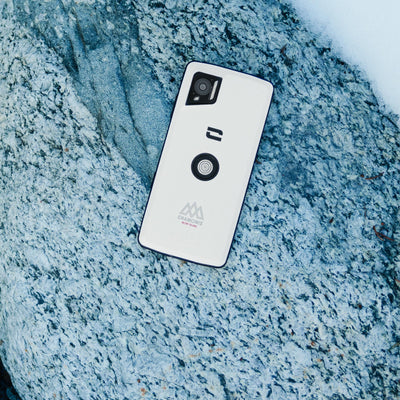
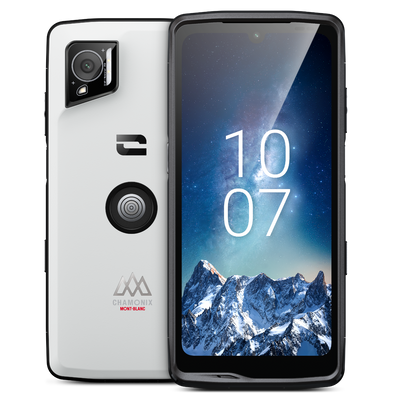
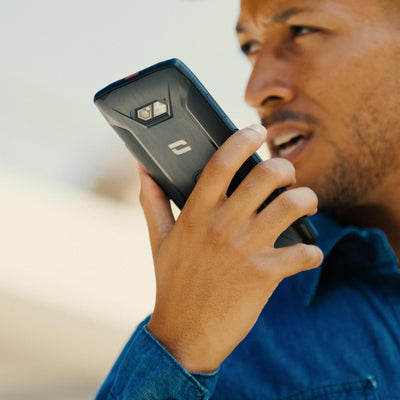
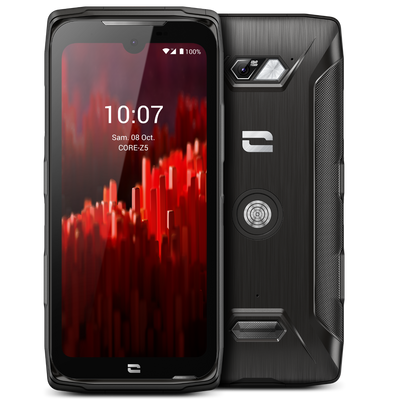
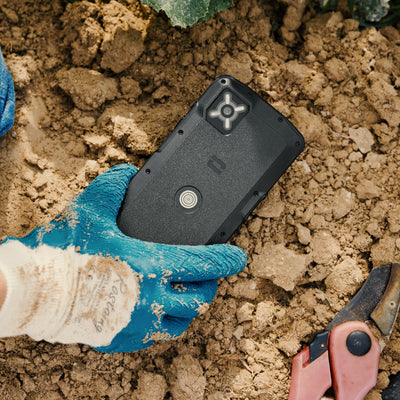
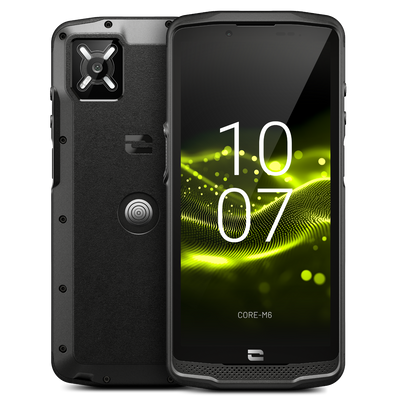

Exclusive X-TREMESHIELD structure

Total waterproofing IP68 / IP69K

5-year manufacturer warranty
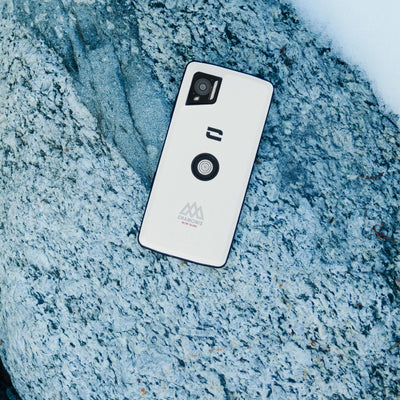
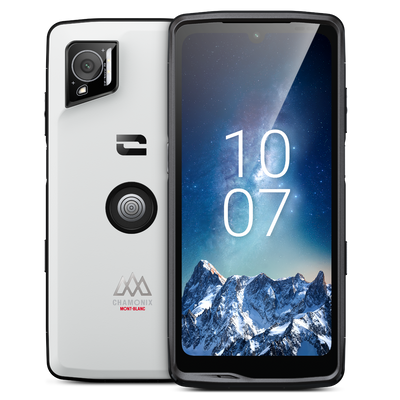

Outdoor mode: up to +25% more battery life
IP68, saltwater, dust
5-year manufacturer warranty
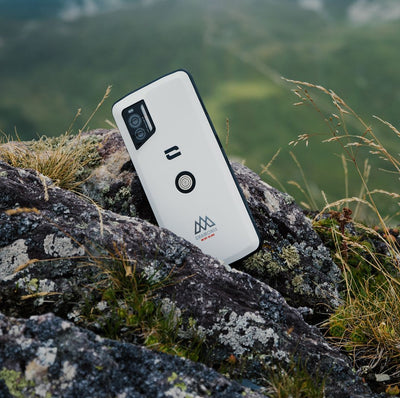
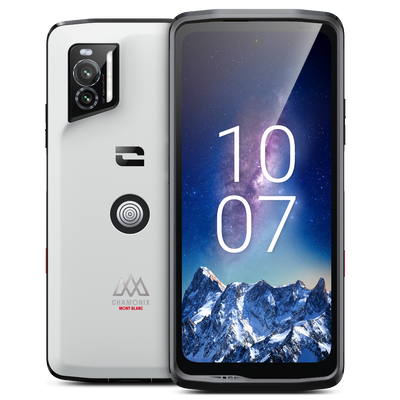
IP68, saltwater, dust
Outdoor mode: up to +25% more battery life
5-year manufacturer warranty
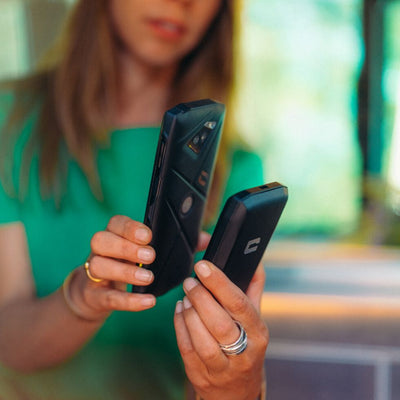
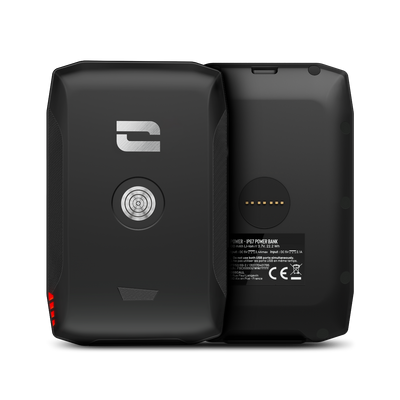


ET SI TROUVER VOTRE SMARTPHONE ETAIT AUSSI SIMPLE QU'UNE CONVERSATION



When it comes to sustainability, it’s not words but actions that make the difference. So we took action.
Phones resistant to all challenges
A 5-year warranty, unique on the market
Designed to last, made to be repaired


Mobile fleet: choosing Android Enterprise smartphones
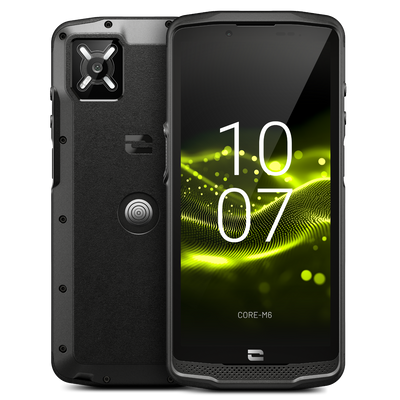
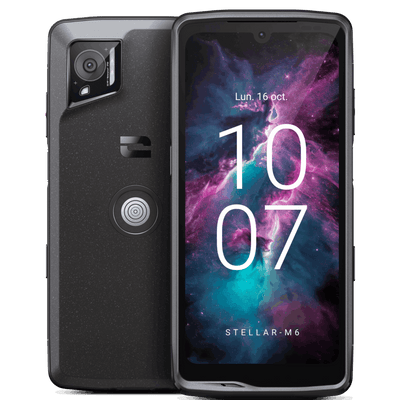
Équiper ses équipes de smartphones est simple. Les gérer, les sécuriser et les faire durer l'est beaucoup moins. Entre les applications à installer, les données à protéger, les terminaux perdus ou cassés et le temps passé à tout configurer, une flotte mobile professionnelle peut vite devenir un casse-tête, surtout sans service informatique dédié. C'est là qu'intervient Android Enterprise, le socle professionnel intégré à Android que Google a conçu pour administrer des smartphones en entreprise. Et c'est là aussi qu'un bon choix de matériel et de partenaire change tout. Crosscall est à la fois constructeur de smartphones certifiés Recommended et Gold Partner du programme. C’est donc l’occasion pour nous de vous guider simplement sur : ce qu'est Android Enterprise ; ce qu'il permet concrètement de faire, notamment avec votre MDM ; pourquoi choisir un appareil Android Enterprise Recommended ; pourquoi s'appuyer sur un Gold Partner change la donne. Qu'est-ce qu'Android Enterprise ? Android Enterprise est l'ensemble des fonctions professionnelles que Google intègre à Android pour permettre aux entreprises de gérer leurs appareils mobiles. Concrètement, il permet de séparer l'usage professionnel de l'usage personnel, de contrôler les applications installées et de protéger les données de l'entreprise, le tout à distance. À retenir : Android Enterprise n'est pas un logiciel à acheter. C'est la fondation intégrée à Android sur laquelle s'appuient les outils de gestion de flotte, appelés MDM (Mobile Device Management). Plus un smartphone est compatible avec ce socle, plus sa gestion est simple. Qu'est-ce qu'un MDM, et comment le choisir ? Nous vous l'expliquons dans un article dédié. Il propose plusieurs modes de gestion, selon la façon dont vos équipes utilisent leur téléphone : Appareil entièrement géré : le smartphone appartient à l'entreprise et est dédié à un usage professionnel. C'est le mode de référence pour les flottes d'entreprise. Appareil dédié : un terminal verrouillé sur une ou quelques applications (scanner de colis, prise de commande, encaissement…). Idéal pour la logistique ou le retail. Profil professionnel sur appareil personnel (BYOD) : l'employé utilise son propre téléphone, avec un espace professionnel séparé et sécurisé. Appareil d'entreprise avec profil professionnel (COPE) : l'entreprise fournit le téléphone, qui peut aussi servir à un usage personnel, avec un espace pro cloisonné. Le bon mode dépend du terrain : un artisan et un préparateur de commandes n'ont pas les mêmes besoins. Que permet de faire Android Enterprise ? Android Enterprise fonctionne main dans la main avec un MDM. C'est cette combinaison qui simplifie la gestion de flotte mobile : vous gardez le contrôle depuis une console unique, sans avoir à manipuler chaque téléphone. Configurer les profils et les applications à distance Depuis votre console MDM, vous définissez ce que chaque équipe peut faire et utiliser : installer ou retirer des applications à distance, en pushant les applications métier dont chacun a besoin ; bloquer l'accès à des applications non souhaitées ; imposer des paramètres : Wi-Fi, VPN, restrictions d'usage ; adapter la configuration par profil métier (équipe terrain, bureau, direction). Résultat : chaque collaborateur reçoit un téléphone prêt à l'emploi, configuré pour son métier. Chez Crosscall, nos smartphones vont plus loin que la configuration logicielle. Avec X-LINK et nos accessoires (X-SCAN, X-COM, X-SPACE), un même terminal peut remplacer un scanner, une radio, un terminal d'encaissement ou même un poste fixe. La gestion à distance via le MDM s'applique à l'ensemble, ce qui renforce la modularité des usages et l'adoption par vos équipes. Déployer sans toucher les appareils grâce au zero-touch Le zero-touch enrollment permet d'enrôler un smartphone dans votre MDM automatiquement, dès son premier démarrage et sans manipulation. Concrètement : vous commandez vos smartphones auprès d'un revendeur ou d'un partenaire compatible ; les appareils sont associés à votre configuration en amont ; à la première mise sous tension, le collaborateur connecte le téléphone et celui-ci se configure seul avec les applications et règles de l'entreprise. C'est un gain de temps considérable : plus besoin de préparer les terminaux un par un, et une flotte opérationnelle bien plus vite, y compris pour des équipes dispersées sur plusieurs sites. Sécuriser les données de l'entreprise La sécurité est un enjeu majeur dès que des données professionnelles circulent sur des téléphones. Android Enterprise, associé à votre MDM, vous permet de : chiffrer les données et imposer un verrouillage de l'écran ; séparer données pro et perso pour éviter toute fuite ; effacer à distance un appareil perdu ou volé, ou seulement la partie professionnelle ; contrôler les mises à jour de sécurité et d'OS. C'est aussi là que le choix du matériel prend toute son importance : une flotte sécurisée est une flotte qui reçoit des mises à jour régulières, sur la durée. Choisir un appareil Android Enterprise Recommended Tous les smartphones Android ne se valent pas pour un usage en entreprise. Le programme Android Enterprise Recommended de Google distingue les appareils qui répondent à des exigences strictes. Un appareil Recommended doit notamment : offrir un déploiement et une gestion simplifiés avec les solutions MDM ; garantir un niveau de sécurité élevé et des mises à jour régulières ; avoir fait l'objet d'une validation par Google selon des critères précis. C'est une garantie : vous choisissez un terminal conçu dès l'origine pour être géré en flotte, et non un smartphone grand public détourné de son usage. Les smartphones Crosscall sont certifiés Android Enterprise Recommended Nos téléphones professionnels de dernière génération, tels que les CORE-M6 et STELLAR-M6, ou encore le STELLAR-X5s, sont certifiés Android Enterprise Recommended et dépassent largement les critères de base fixés par Google en matière de résistance, de sécurité et de durabilité : La résistance au terrain : des smartphones MIL-STD-810H qui encaissent des chutes répétées jusqu'à 2 m, avec une étanchéité IP68 et une longue autonomie pour tenir toute la journée. La durabilité et la fiabilité dans le temps : une garantie de 5 ans, batterie incluse, et des mises à jour OS et sécurité de 7 ans, pour des smartphones dotés d'une durée de vie prolongée. Le bénéfice pour votre flotte Une flotte toujours opérationnelle et sécurisée : des terminaux qui encaissent chutes, poussière et eau, et dont les paramètres de sécurité et les mises à jour restent maîtrisés à distance. Des utilisateurs plus à l'aise, donc plus satisfaits : un smartphone fiable, simple à prendre en main et qui ne les lâche pas sur le terrain, c'est moins de frustration et plus d'adhésion à l'outil. Une durée de vie prolongée, des coûts maîtrisés : un matériel résistant, associé à une bonne gestion logicielle, reste en service plus longtemps. Moins de remplacements, c'est un budget d'équipement qui baisse sur le long terme. Choisir un partenaire Gold Partner Le bon smartphone ne suffit pas : encore faut-il savoir le déployer et l'administrer. C'est le rôle du partenaire que vous choisissez. Ce que signifie être Gold Partner Android Enterprise Le statut de Gold Partner est la reconnaissance par Google des partenaires les plus engagés dans le programme Android Enterprise. Il atteste que le partenaire : maîtrise les solutions Android Enterprise et leur déploiement ; assure un niveau de service et d'accompagnement client reconnu ; a fait ses preuves sur le terrain, avec des flottes en production. Pourquoi c'est un vrai avantage Si vous n'avez pas d'équipe IT dédiée, vous avez besoin d'un interlocuteur qui connaît le sujet. S'appuyer sur un Gold Partner, c'est : gagner du temps : un partenaire qui sait configurer, déployer et paramétrer rapidement ; réduire les risques : des déploiements fiables, des terminaux compatibles et validés ; être accompagné dans la durée : conseil, support technique et suivi. L'accompagnement Crosscall Crosscall est Gold Partner Android Enterprise, statut renouvelé en 2026, avec plus de 100 000 terminaux enrôlés en entreprise. Notre approche repose sur la proximité : un service technique et un X-LAB / R&D pour répondre aux besoins spécifiques ; un SAV de proximité en France ; un accompagnement sur mesure, adapté à la taille de votre équipe et à votre métier. Vous bénéficiez ainsi d'un seul interlocuteur, du choix du terminal à son administration. Qu'est-ce qu'Android Enterprise ? C'est le socle professionnel intégré à Android qui permet aux entreprises de gérer, sécuriser et déployer des smartphones à distance, en lien avec une solution MDM. Comment sécuriser les smartphones de mes salariés ? En combinant un appareil compatible Android Enterprise et un MDM : vous pouvez chiffrer les données, séparer usage pro et perso, imposer un code de verrouillage, contrôler les mises à jour et effacer un téléphone à distance en cas de perte ou de vol. Faut-il un MDM pour utiliser Android Enterprise ? Oui, Android Enterprise s'utilise avec une solution MDM, qui sert de console pour administrer vos appareils. Le MDM pilote, Android Enterprise fournit les fonctions sur le terminal. Android Enterprise est-il adapté à une petite flotte ? Oui, dès quelques appareils. Il suffit de choisir un MDM adapté à la taille de votre flotte, et un mode de gestion cohérent avec vos usages. Qu'est-ce qu'un appareil Android Enterprise Recommended ? C'est un appareil validé par Google selon des critères stricts : déploiement simplifié, sécurité, mises à jour régulières et durabilité. Les CORE-M6 et STELLAR-M6 de Crosscall en font partie. Que signifie être Gold Partner Android Enterprise ? C'est une reconnaissance de Google pour les partenaires les plus engagés dans le programme, capables de déployer et d'accompagner des flottes professionnelles. Crosscall détient ce statut. Qu'est-ce que le zero-touch ? C'est un mode d'enrôlement automatique : le smartphone se configure seul dès son premier démarrage, sans manipulation préalable. Un gain de temps important pour déployer une flotte. Peut-on utiliser son téléphone personnel avec Android Enterprise ? Oui, grâce au profil professionnel : l'espace pro est séparé et sécurisé sur le téléphone personnel, sans accès de l'entreprise à la partie privée. Comment équiper mon équipe terrain avec des smartphones résistants ? Choisissez un terminal conçu pour les conditions difficiles, certifié Android Enterprise Recommended, et accompagné d'un partenaire capable de le déployer. C'est exactement ce que proposent les gammes CORE et STELLAR de Crosscall.

Why choose an MDM for your mobile fleet?
A MDM, or Mobile Device Management, is software that enables a company's smartphones and tablets to be configured, secured and managed remotely from a single console. For medium-sized and large companies, whose mobile teams are numerous and spread across the field, it has become a cornerstone of mobile fleet management. Since our smartphones are designed for use in large business fleets, they are built to be easily compatible with these solutions. MDM: Definition MDM is the centralized management solution for an organization's mobile devices. First introduced in the early 2000s, it put an end to an era when each device was configured manually, one by one, by the IT department: a long, tedious and imprecise task. Today, the entire fleet ( business phones , tablets) can be managed remotely from a single administration console, wherever employees work. In practical terms, an MDM works in two stages: L'administrator first defines their rules in the console: security policies, restrictions, and applications to deploy. Each device is then linked to it; this is known as enrollment . The device then automatically receives its configuration, applications, and security policies, without having to configure each device individually. What can an MDM do? An MDM brings most of the administration of a mobile fleet together in a single console. Its features fall into four main categories. Profile and application management The MDM allows each device to be configured according to its user's profile: Wi-Fi access, VPN, business email, and restrictions on certain features. L'administrator can also install, update, or remove applications remotely, and create a catalog of applications approved by the company. This profile-based management is particularly useful in BYOD policies ( Bring Your Own Device), when employees use their personal devices for work. The MDM then isolates the work space from the personal space: the company manages its data and applications without accessing the user's private life. Fleet maintenance technique The console maintains a real-time inventory of the fleet: models, system versions, installed apps, and device status (batteries, storage...). L'The IT team can therefore diagnose and fix a problem remotely, without the device having to go through IT, and manage the rollout of updates across the entire fleet. Security This is one of the main reasons for adopting an MDM. L'administrators enforce their security policies across the entire fleet: mandatory passcodes, data encryption, usage restrictions, and separation of work and personal use. If a device is lost or stolen, they can locate, lock, or remotely wipe it to prevent company data from falling into the wrong hands. Enrollment L'enrollment means connecting a device to the management console. It can be done manually, but quickly becomes time-consuming as the fleet grows. The zero-touch method eliminates this step: the device is registered in advance in the console and configures itself, with its apps and security policies, as soon as it is first powered on and connected to the internet. L'The IT team no longer needs to handle it, and the employee receives a smartphone that is ready to use. This is the approach we used in particular for our deployment of 29,000 devices for Leroy Merlin . Why use MDM in a business? Once a mobile fleet reaches a certain size, managing devices one by one quickly becomes unmanageable. MDM addresses this challenge in four ways. Simplified management and time savings Manually configuring, updating or troubleshooting dozens or even hundreds of devices ties up IT teams with repetitive tasks. With MDM, everything can be managed remotely from a single console: a configuration or app can be deployed across the entire fleet in just a few clicks, and new device enrollment can be automated. This frees IT teams to focus on higher-value work. MORE SECURITY FOR L'S BUSINESS A work smartphone provides access to sensitive data: email, documents and business apps. MDM lets you apply a consistent security policy across the entire fleet: encryption, locking, usage restrictions and updates. If a device is lost or stolen, it can be locked or wiped remotely, greatly reducing the risk of data leakage. Better maintenance for a more sustainable device fleet With real-time inventory and device health monitoring, the IT team can spot issues before they disrupt users and roll out updates centrally. Better-maintained devices last longer: the company can extend replacement cycles, manage its budget and reduce its environmental footprint. This is especially true of devices built to last, with long-term update guarantees. Happier and more efficient employees For users, MDM means having a smartphone that’s ready to use, with the right apps and access from day one, plus responsive support if an issue arises. Equipped with a reliable, well-configured work tool, every employee can be more independent and efficient day to day, without wasting time on technical tasks. What is the difference between MDM, EMM and Android Enterprise? In the world of business mobility, acronyms abound and are often confusing. MDM, EMM, Android Enterprise: these three terms are often used interchangeably, even though they refer to quite different things. Here's how to tell them apart. MDM: the device management tool MDM (Mobile Device Management) is the tool that allows IT teams to remotely manage the company's mobile devices (smartphones, tablets, rugged devices). From a centralized console, the administrator can: Enroll and configure devices in bulk; Apply security policies (lock code, encryption, restrictions); Deploy or block applications; Locate, lock, or remotely wipe a device if it is lost or stolen. MDM therefore focuses on the device itself. L'EMM: a broader approach to mobile fleet management L' EMM (Enterprise Mobility Management) covers a broader scope. It includes MDM, but goes beyond the device itself: it also encompasses the management of applications (MAM), content and information belonging to the company that can be accessed from mobile devices. In practical terms, EMM helps protect business data, control how it is shared, and secure access, whatever device is used. It is a comprehensive approach to mobile fleet management, with MDM as its basic building block. Android Enterprise: the technical foundation on the Android side Android Enterprise is neither an MDM nor an EMM. It is the technical foundation of Android on which MDM and EMM solutions rely to manage Android devices in businesses. It provides a standardized framework that allows, for example, work and personal use to be clearly separated or a device to be configured from its very first startup. In summary: Android Enterprise provides the features; MDM/EMM manages them. Choosing Android Enterprise Recommended certified devices For this management to be truly effective, the choice of device matters as much as the choice of software solution. Crosscall devices are Android Enterprise Recommended (AER) certified . This certification guarantees: the ease of deploying mobile devices in businesses; the security of devices and data; the durability of devices, thanks to ongoing updates. Crosscall is also Gold Partner of the Android Enterprise Partner Program . This distinction reaffirms the French manufacturer’s commitment to providing high-performance, secure, and durable solutions and products that meet the mobility needs of professionals. FAQ How many smartphones make an MDM useful? There is no official threshold: it all depends on the number of devices to manage, the sensitivity of the data they contain, and the cost-benefit ratio for the company. Could uncontrolled use put the company at risk? If so, an MDM is essential, even for a small fleet. Our experts particularly recommend it to SMBs that equip several dozen employees. Can an MDM erase a smartphone's contents? Yes: the administrator can remotely wipe the entire device if it belongs to the company, or only the work data if it is a personal device, without touching private data. L'The device must be connected to the internet to receive the command; otherwise, it will run the next time it connects. Can an MDM see personal data? If you use your personal smartphone for work (BYOD), MDM separates personal and work data: the company cannot access your photos or personal messages. On a fully managed company device, monitoring is more extensive, and employees must be informed, in accordance with the GDPR.

CORE-Z6 450 certified on Germany’s 450Connect network
A major milestone for Crosscall's 450 MHz strategy, paving the way for the deployment of a new generation of rugged, mission-critical mobile devices for critical infrastructure operators in Germany. Crosscall is proud to announce that the CORE-Z6 450 has successfully completed the 450connect certification process and has officially joined the whitelist of approved voice terminals for use on Germany's 450 MHz network. This certification marks a key milestone following several months of development, testing, and close collaboration between the Crosscall and 450connect teams. As part of this approval process, the CORE-Z6 450 was tested in three essential areas: network compatibility, cybersecurity, and industrial ruggedness, confirming its ability to meet the requirements of critical infrastructure operators (KRITIS) in Germany. 450connect operates Germany's national 450 MHz network dedicated to critical infrastructure operators. As the exclusive holder of the 450 MHz frequency until 2040, 450connect provides highly available and resilient communications designed to support the control, supervision, and protection of essential infrastructure. With the CORE-Z6 450 approved for this network, Crosscall is introducing a new type of professional terminal to Germany's 450 MHz ecosystem: a rugged Android smartphone designed from the outset for mission-critical 450 MHz connectivity and the most demanding field operations. Reliable communication when it matters most Clear communication remains essential for critical field operations. The CORE-Z6 450 features a powerful front-facing speaker delivering up to 102.5 dBA, combined with AI-powered noise reduction of up to -60 dB, enabling users to hear and be heard even in the noisiest environments. In addition to its native 450 MHz capabilities, the CORE-Z6 450 also supports public and private 4G/5G networks, as well as Wi-Fi 6/6E, giving organizations complementary connectivity options for broadband services and professional Android applications. Designed for the most demanding field environments Developed according to Crosscall's rugged engineering standards, the CORE-Z6 450 is built to withstand intensive professional use in difficult conditions. IP68 and IP69K certification, MIL-STD-810H compliance, resistance to repeated drops onto concrete, and up to 53 hours of battery life in mixed use: features that ensure operational availability throughout field missions. Its compatibility with the Crosscall X-LINK™ ecosystem and professional mounting solutions enables seamless integration into vehicle mounts, charging stations, and field equipment, supporting users throughout their interventions. CORE-Z6 450: Ready for today's critical communications. Designed for tomorrow's. Today, the 450connect network is dedicated to critical voice communications for terminals such as the CORE-Z6 450. The device has been designed to fully meet these current needs while also being ready to support future developments in the network and its services. Beyond voice, its Android environment, large display, powerful chipset, and front and rear cameras make the CORE-Z6 450 technically capable of supporting advanced digital applications: business applications, data sharing, and video communications. These additional features are not yet available on the 450connect network. However, if these services are deployed in the future, the CORE-Z6 450 is already equipped to enable organizations to extend their field operations, from critical voice communication to a broader range of digital applications. A new milestone for Crosscall in the 450 MHz ecosystem This 450connect certification marks an important step in Crosscall's ambition to establish itself as a leading European manufacturer within the 450 MHz ecosystem. The CORE-Z6 450 is the first concrete expression of this ambition, with other products, accessories, and services to come to build a complete ecosystem that meets the specific needs of critical infrastructure operators. For energy and water operators, transport and logistics organizations, healthcare organizations, and other KRITIS operators in Germany, the CORE-Z6 450 offers a new choice: a professional 450 MHz terminal combining reliable field communication, Android-based business capabilities, and Crosscall ruggedness — all in a single device.
You want to
equip your teams.
Discover customized solutions
tailored to each industry
for your business.

Free shipping
Free shipping on orders of €149 or more

Pay at your own pace up to 60x*
Pay at your own pace with Floa: 3, 4, 10, or up to 60x*

RATED 4.6/5 BY CUSTOMERS
Based on over 10,000 customer reviews
Get 10% off right now!
Sign up to unlock your discount and get early access to our exclusive offers and new releases.

Consult the Privacy Policy. You can use the unsubscribe link included in the newsletter at any time.


